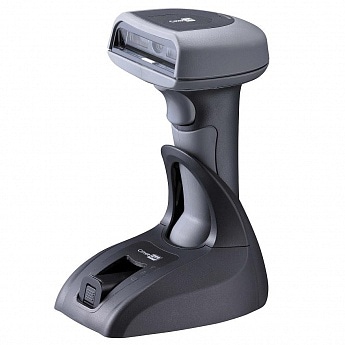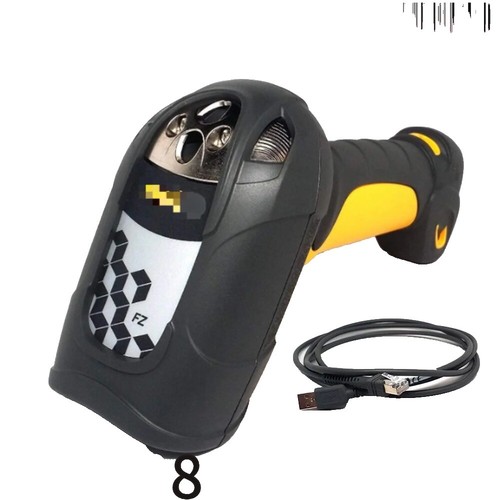
When a Zebra Symbol MC3200 handheld scanner runs out of power in the middle of a shift, everyday work can quickly become frustrating. Warehouse employees may need to stop scanning items, inventory staff may have to find another device, and retail workers can experience delays while checking products or updating stock records.
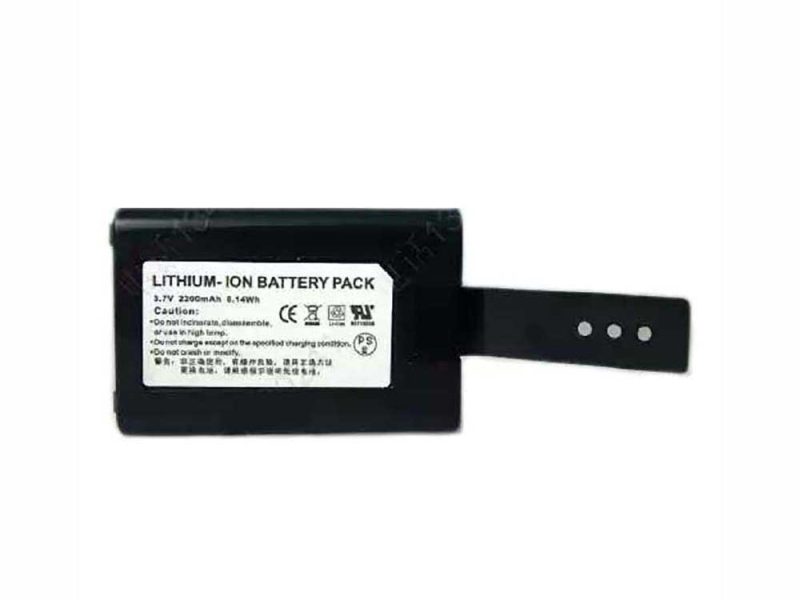
If your Zebra MC3200, MC32N0, or compatible MC330 handheld terminal no longer holds a charge, the BT-000375 battery may need to be checked or replaced. Understanding the common signs of battery deterioration can help you identify the problem and find a practical solution.
Common Signs of Zebra MC3200 Battery Problems
Battery problems do not always appear suddenly. In many cases, the device gradually becomes less reliable as the battery ages.
One common symptom is significantly reduced battery life. A scanner that previously lasted through most of a work shift may now need to be charged several times a day. The battery percentage may also drop rapidly during barcode scanning or wireless data transmission.
Another warning sign is unexpected shutdowns. Your Zebra handheld terminal may turn off even when the battery indicator still shows some remaining power. This can happen when an aging battery can no longer supply stable power under load.
Some users may also notice that the battery takes longer to charge, fails to reach a full charge, or loses power soon after being disconnected from the charger. If these problems continue after checking the charging equipment and connections, the battery may be nearing the end of its useful life.
Why Does the Zebra Symbol MC3200 Battery Drain Quickly?
Lithium-ion batteries gradually lose capacity through normal use. After repeated charging and discharging cycles, an older battery may store less energy than it did when new.
Heavy daily workloads can make this deterioration more noticeable. Warehouse and retail scanners are frequently used for barcode reading, inventory updates, wireless communication, and other repetitive tasks. Long operating hours and frequent charging can put additional demands on the battery.
Environmental conditions also matter. Very hot or cold working environments may affect battery performance. A battery that has been stored for a long time without appropriate care may also perform poorly.
However, fast battery drain is not always caused by battery damage. High screen brightness, demanding applications, unstable wireless connections, faulty charging accessories, or software issues can contribute to power consumption. Checking these factors before replacing the battery can help prevent unnecessary expenses.
What to Do When the Zebra MC32N0 Battery Won’t Charge
If your Zebra MC32N0 or MC3200 battery does not charge, start with a few basic checks.
First, inspect the charging contacts and battery compartment for visible dirt or damage. Make sure the battery is installed correctly and that the contacts are clean and dry. Avoid using metal objects to clean electrical contacts.
Next, check the charger, charging cradle, and power supply. If possible, use a known-working compatible charging setup to determine whether the problem comes from the charger or the battery.
If the device remains unresponsive, allow it to cool to a normal operating temperature before trying again, provided the battery shows no signs of physical damage. A battery that is swollen, leaking, unusually hot, or visibly damaged should not be charged or reused.
When charging problems persist despite checking the connections and accessories, the BT-000375 battery may have deteriorated. A compatible replacement battery can help restore dependable operation when the original battery is confirmed to be the cause.
How to Tell Whether Your Zebra MC3200 Battery Is Damaged
Before purchasing a replacement, look for several symptoms rather than relying on one sign alone.
1. Battery life has dropped noticeably. If the scanner loses power much faster than it used to under similar working conditions, the battery may have lost capacity.
2. The device shuts down unexpectedly. Sudden power loss, especially during routine scanning tasks, may indicate that the battery can no longer deliver sufficient power.
3. Charging behavior has changed. A battery that repeatedly fails to charge fully or loses its charge unusually quickly may be deteriorating.
4. The battery shows physical damage. Swelling, leakage, corrosion, or unusual heat requires immediate attention. Stop using the battery and follow appropriate battery disposal procedures.
5. Basic troubleshooting does not solve the problem. If the charger and contacts are functioning correctly but the device still experiences power issues, testing with a known-good compatible battery can help identify the source of the problem.
For a more accurate diagnosis, check the device’s battery status or diagnostic information if available. Persistent power problems may also be caused by the charging cradle, internal contacts, or the handheld terminal itself.
Replacing the Zebra Symbol MC3200 Battery
When the original battery can no longer provide enough operating time, replacing it is often more practical than repeatedly interrupting work to recharge the device.
The 6600mAh BT-000375 battery replacement is intended for compatible Zebra Symbol handheld terminal models, including the MC3200 and MC32N0 series. The exact compatibility should be confirmed against the battery part number, device model, connector design, and physical dimensions before ordering. For the MC330, verify the specific model and battery requirements rather than assuming that every version uses the same battery.
Before installation, power off the handheld terminal and follow the manufacturer’s battery replacement instructions. Remove the old battery carefully, install the compatible replacement, and make sure it is seated securely. Charge the new battery using an appropriate charger and check that the device operates normally.
Choosing the correct BT-000375 battery helps reduce unnecessary downtime and allows warehouse, retail, and inventory teams to return to their regular scanning tasks.
Everyday Applications for the BT-000375 Replacement Battery
The Zebra Symbol MC3200 family is commonly associated with mobile data collection and barcode scanning. A dependable battery is particularly important in environments where devices are used throughout the day.
In warehouses, workers rely on handheld terminals to scan incoming shipments, locate inventory, and prepare outgoing orders. Longer-lasting battery performance helps reduce interruptions during busy shifts.
In retail stores, handheld scanners support stock checks, shelf replenishment, and product identification. A battery that holds its charge helps employees complete these tasks without repeatedly searching for a charging station.
In distribution centers and logistics operations, mobile terminals may be shared across teams or used for extended periods. Keeping compatible replacement batteries available can help reduce delays caused by unexpected power loss.
For inventory management and other mobile data collection tasks, a properly functioning battery supports consistent device availability throughout the working day.
Tips for Maintaining Battery Performance
To get more reliable service from your Zebra handheld terminal, avoid exposing the battery to excessive heat or cold. Use a compatible charger and inspect the battery compartment periodically for dirt or damaged contacts.
When the scanner is not needed for an extended period, follow the manufacturer’s storage recommendations instead of leaving the battery completely discharged for a long time. If battery life begins to decline significantly, investigate the cause before it disrupts daily operations.
A replacement battery cannot resolve every device problem, but selecting the correct battery and maintaining the charging equipment can help keep a compatible handheld scanner ready for work.
Frequently Asked Questions
Q1: Which devices use the BT-000375 battery?
The BT-000375 battery is associated with compatible Zebra Symbol MC3200 and MC32N0 handheld terminal configurations. Verify the exact part number and device specifications before purchasing. Confirm compatibility separately for any MC330 model.
Q2: Why does my Zebra MC3200 lose battery power so quickly?
The battery may have lost capacity through normal aging. Heavy usage, demanding applications, wireless connectivity, temperature extremes, or charging problems can also contribute to fast power loss.
Q3: Why won’t my Zebra MC32N0 battery charge?
Possible causes include dirty contacts, an incorrectly installed battery, a faulty charger or cradle, temperature-related protection, or a deteriorated battery. Check the charging equipment and connections before deciding whether the battery needs replacement.
Q4: How can I tell if my Zebra handheld scanner needs a new battery?
Frequent recharging, sudden shutdowns, unusually short operating time, and persistent charging problems are common warning signs. Physical swelling, leakage, or unusual heat requires stopping use immediately.
Q5: Is a 6600mAh replacement battery suitable for warehouse use?
A correctly specified replacement with a 6600mAh capacity may be suitable for compatible handheld terminals used in warehouses, retail stores, and inventory operations. Actual runtime depends on device configuration, workload, battery condition, and operating environment.
A Zebra MC3200 or MC32N0 that drains quickly, shuts down unexpectedly, or refuses to charge can slow down routine work. Checking the charger, connections, and battery condition helps identify the likely cause. If the original battery has deteriorated, a compatible 6600mAh BT-000375 battery replacement may help restore more dependable operation and reduce interruptions during daily barcode scanning.