A Lenovo laptop that once lasted through several hours of work may start needing a charger after only a short period. You might notice the battery percentage dropping quickly during meetings, the laptop shutting down unexpectedly, or the battery refusing to charge beyond a certain level. These problems can interrupt work, study and everyday laptop use.
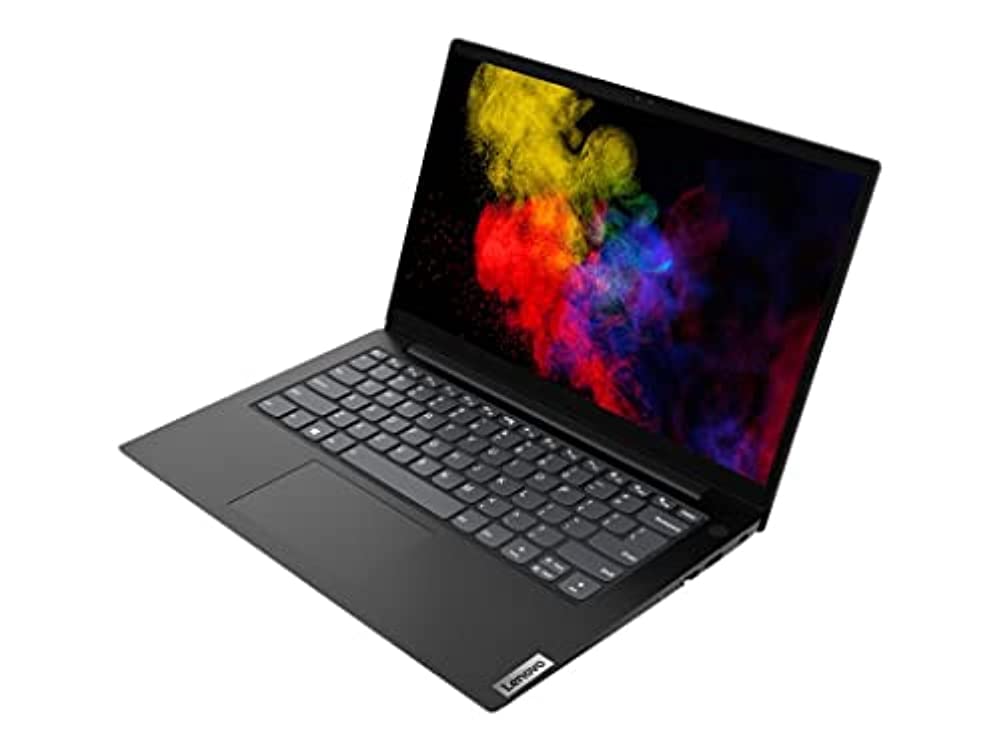
If you use a Lenovo V14, V15 or V17 series laptop, an aging battery could be one reason for these symptoms. The L20M2PF0 4947mAh replacement battery is an option to consider when the existing battery has lost capacity or can no longer provide reliable power. Before replacing it, however, it helps to understand the possible causes and how to identify the actual problem.
Why Does a Lenovo Laptop Battery Drain So Quickly?
Short battery life is one of the most common problems with an older laptop. A Lenovo V14, V15 or V17 may initially run comfortably on battery power, but its runtime can decrease after repeated charging cycles and extended use.
Battery aging is a natural process. Over time, the battery’s ability to store energy declines, meaning a fully charged battery may no longer last as long as it did when new. Running demanding applications, keeping screen brightness high, using multiple programs simultaneously and leaving background processes active can also increase power consumption.
If your laptop loses a large percentage of its charge during light tasks such as browsing, writing documents or checking emails, check the battery’s health. When reduced capacity is the main cause, replacing the worn battery with a compatible L20M2PF0 battery may help restore more practical unplugged working time.
What to Do When the Lenovo Laptop Battery Will Not Charge
A battery that will not charge does not always mean the battery itself is defective. The charger, charging port, power management settings or internal hardware may also be responsible.
Start by checking whether the power adapter is securely connected to the laptop and wall outlet. If the charging cable or connector is damaged, charging may become intermittent. You can also restart the laptop and check the battery status in the operating system.
Some Lenovo laptops include battery conservation or charge-threshold settings that intentionally limit charging to help manage battery wear. If charging stops around a preset percentage, review these settings before assuming the battery has failed.
If the laptop consistently reports that the battery is not detected, remains at 0% despite a functioning charger, or shuts down immediately after the charger is disconnected, further battery diagnosis may be necessary. A replacement may be appropriate if the battery has reached the end of its useful service life and other charging components are working correctly.
How to Tell Whether the L20M2PF0 Battery Needs Replacing
Several warning signs can indicate that a Lenovo laptop battery is deteriorating.
1. The laptop runs out of power much faster than before. If normal office tasks consume the battery unusually quickly, the available capacity may have declined.
2. The battery percentage changes unexpectedly. A laptop that jumps from a moderate charge level to a low percentage or shuts down without warning may have an aging battery or a battery reporting problem.
3. The battery cannot hold a charge. If the laptop works normally while connected to the charger but loses power shortly after being unplugged, the battery deserves closer inspection.
4. The operating system reports poor battery health. Windows battery reports and Lenovo diagnostic tools can provide useful information about battery capacity and condition. Comparing the reported full-charge capacity with the original design capacity can help reveal battery wear.
5. The battery shows physical swelling. A swollen battery is a safety concern. Stop using and charging the laptop, do not press or puncture the battery, and arrange professional replacement.
Before purchasing a new battery, confirm that the existing battery is actually the source of the problem. Charging faults can also result from a defective adapter, damaged connector or internal power circuit.
Choosing an L20M2PF0 4947mAh Replacement Battery
When the original battery no longer provides dependable runtime, choosing the correct replacement is essential. The L20M2PF0 4947mAh battery is intended for compatible Lenovo laptop configurations, including certain V14, V15 and V17 G2 series models.
However, laptop model names alone are not always enough to confirm compatibility. Different configurations within the same series may use different batteries or connectors. Check the battery part number printed on the existing battery and compare it with the replacement specifications. Also verify the exact laptop model and connector arrangement before ordering.
A replacement battery with a 4947mAh capacity can provide a new energy-storage source for a compatible laptop. Actual runtime depends on the laptop’s power consumption, battery condition, screen brightness, workload and operating environment.
After installation, follow the battery supplier’s instructions and the laptop manufacturer’s safety guidance. If the battery is internal and you are unfamiliar with laptop repairs, professional installation can reduce the risk of damaging the connector or other components.
Everyday Situations Where a Replacement Battery Makes a Difference
A reliable battery is useful when your laptop needs to work away from a power outlet.
For office work, a healthier battery can make it easier to attend meetings, prepare reports and move between workspaces without constantly searching for a charger.
For students, better battery performance is helpful during classes, library sessions and study periods where outlets may be limited.
For remote workers and business travelers, dependable battery power can reduce interruptions while working in shared offices, waiting areas or other locations away from a desk.
Even at home, a functioning battery allows you to move between rooms and continue browsing, video calls or everyday tasks without keeping the charger connected all the time.
A replacement will not eliminate every cause of short runtime, but it can address reduced battery capacity when the old battery is the underlying problem.
Tips for Managing Your Lenovo Laptop Battery
Simple usage habits can help you manage battery power more effectively. Reduce screen brightness when full brightness is unnecessary, close applications you are not using and check for background programs that consume excessive energy.
Keep the laptop’s ventilation openings clear and avoid exposing the battery to excessive heat. Use a suitable charger and follow the manufacturer’s recommendations for charging and storage. If your laptop has a battery conservation feature, use it according to your normal working pattern.
These steps can reduce unnecessary power consumption, although they cannot reverse the natural capacity loss of an aging battery.
Frequently Asked Questions
Which battery should I look for when replacing an L20M2PF0?
Look for an L20M2PF0 replacement battery with a stated capacity of 4947mAh, then verify the exact Lenovo laptop model, part number, voltage and connector compatibility before purchasing.
Can an L20M2PF0 replacement battery solve short battery life?
It can help when the original battery has degraded and lost capacity. If the problem comes from high CPU usage, software settings, a faulty charger or another hardware issue, replacing the battery alone may not solve it.
Why does my Lenovo laptop stop charging before reaching 100%?
A battery conservation setting or charging threshold may be responsible. Battery wear, adapter problems and charging-system faults are other possibilities. Check the laptop’s settings and battery health before deciding on a replacement.
How can I check my Lenovo battery condition in Windows?
You can generate a Windows battery report by opening Command Prompt and running powercfg /batteryreport. Review the design capacity, full-charge capacity and available battery history to assess whether the battery has lost significant capacity.
Are all Lenovo V14, V15 and V17 G2 laptops compatible with the L20M2PF0 battery?
Not necessarily. Compatibility depends on the exact configuration and battery specifications. Confirm the original part number and your laptop’s model information before ordering.
Restore Reliable Laptop Power
Frequent charging, unexpected shutdowns and declining battery runtime can make a Lenovo laptop less convenient for work, study and travel. If diagnostics indicate that the original battery has worn out, an L20M2PF0 4947mAh replacement may be a practical solution for a compatible Lenovo V14, V15 or V17 configuration.
Check the battery part number and laptop compatibility carefully before replacing it. Choosing the correct battery can help you return to a more dependable mobile working routine without relying on a power outlet throughout the day.