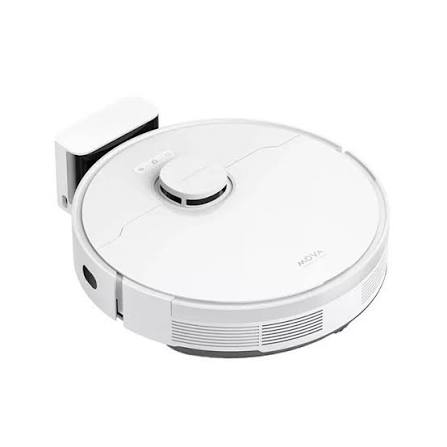
The 3300mAh S10 battery replacement for Xiaomi S10 STYTJ02YM is a practical solution when your robot vacuum starts experiencing short battery life, charging problems, or unexpected shutdowns. A reliable replacement battery can help restore the operating time of your Xiaomi S10 and keep your daily cleaning routine running smoothly.
If your Xiaomi S10 robot vacuum is no longer performing as it used to, the battery may be one of the first components worth checking.
Why Does the Xiaomi S10 Battery Have a Short Runtime?
One of the most common signs of an aging robot vacuum battery is a significant reduction in cleaning time.
A new battery can provide stable power for normal cleaning tasks. However, after long-term use, the battery gradually loses its ability to store energy. Your Xiaomi S10 may therefore need to return to the charging dock more frequently than before.
Common symptoms include:
- The robot vacuum runs for a much shorter time.
- The battery percentage drops unusually quickly.
- The Xiaomi S10 stops during cleaning.
- The vacuum returns to the charging dock earlier than expected.
- The robot shuts down even when the battery indicator still shows some power.
- Cleaning performance becomes inconsistent.
If these problems occur frequently, replacing the battery may be more effective than repeatedly restarting or resetting the robot vacuum.
Xiaomi S10 Battery Cannot Be Charged: What Should You Check?
If your Xiaomi S10 battery is not charging, the battery itself may not always be the problem. Before replacing it, several basic checks can help identify the cause.
1. Check the Charging Dock
Make sure the charging dock is connected correctly to the power supply. Clean the charging contacts on both the robot vacuum and the dock because dust or dirt can interfere with charging.
2. Check the Battery Connection
If the robot has recently been opened or repaired, make sure the battery connector is firmly connected. A loose connection can prevent the battery from charging normally.
3. Restart the Robot Vacuum
A temporary software or system issue can sometimes cause abnormal battery readings. Restarting the Xiaomi S10 can help determine whether the problem is temporary.
4. Check for Battery Aging
If the Xiaomi S10 has been used for a long time and the battery life has gradually decreased, battery aging is a more likely explanation.
If charging problems continue after checking the dock, contacts, and connections, a compatible 3300mAh S10 replacement battery may be worth considering.
How to Tell If the Xiaomi S10 Battery Is Damaged
Not every battery problem means the battery is completely dead. However, several symptoms can indicate that the battery has reached the end of its useful life.
Rapid Battery Drain
If the Xiaomi S10 shows a full or relatively high battery level but quickly loses power during cleaning, the battery’s capacity may have significantly decreased.
Unexpected Shutdowns
A robot vacuum that suddenly shuts down during operation can indicate that the battery can no longer provide stable voltage under load.
Charging Abnormalities
If the robot repeatedly starts and stops charging, cannot reach a normal charge level, or takes unusually long to charge, the battery or charging system should be inspected.
Very Short Cleaning Sessions
When the Xiaomi S10 used to complete normal cleaning tasks but now operates for only a fraction of the previous time, battery degradation is a possible cause.
Battery Swelling or Physical Damage
A swollen, leaking, cracked, or otherwise physically damaged lithium battery should not be used. Stop using the device and handle the battery according to appropriate battery-safety procedures.
When Is a Xiaomi S10 Replacement Battery Useful?
A replacement battery can be particularly useful in several everyday situations.
Daily Home Cleaning
For homes with pets, children, or larger floor areas, robot vacuums may operate frequently. A healthy battery helps the Xiaomi S10 maintain consistent cleaning performance.
Apartment Cleaning
For apartments and smaller living spaces, a replacement battery can help the robot vacuum complete routine cleaning without frequent interruptions.
Pet Hair Cleaning
Pet owners often run robot vacuums more frequently to manage hair and dust. If the original battery has become weak, replacing it can help restore more reliable operating time.
Long-Term Robot Vacuum Maintenance
Replacing a worn battery can extend the practical service life of an otherwise functional robot vacuum. If the brushes, sensors, wheels, and other components are still working properly, a battery replacement may be a cost-effective maintenance option.
Why Choose a 3300mAh Replacement Battery for Xiaomi S10?
The 3300mAh capacity is designed to provide a useful replacement option for a Xiaomi S10 robot vacuum using the STYTJ02YM battery configuration.
When choosing a replacement battery, do not focus only on capacity. Always verify important specifications such as:
- Battery model
- Voltage
- Capacity
- Connector
- Battery dimensions
- Physical installation compatibility
- Compatibility with the Xiaomi S10 / STYTJ02YM
A battery with the correct electrical and physical specifications is essential for safe and reliable operation.
Installation and Battery Safety Tips
Before replacing the battery, turn off the Xiaomi S10 and disconnect it from the charging dock. Work in a clean, dry area and avoid damaging the battery casing, wires, or connector.
Lithium-ion batteries should be handled carefully. Do not bend, puncture, crush, disassemble, or expose the battery to excessive heat.
If you are not comfortable replacing the battery yourself, professional installation is recommended.
A short runtime, charging problems, and unexpected shutdowns can make a Xiaomi S10 robot vacuum frustrating to use. In many cases, an aging battery is one of the main components to investigate.
The 3300mAh S10 battery replacement for Xiaomi S10 STYTJ02YM provides a replacement option for users whose original battery has experienced reduced capacity or charging-related problems.
Before purchasing, always compare the original battery’s model, voltage, capacity, connector, and dimensions to ensure compatibility. With the right replacement battery and proper installation, you can get your Xiaomi S10 back to handling everyday cleaning tasks more reliably.