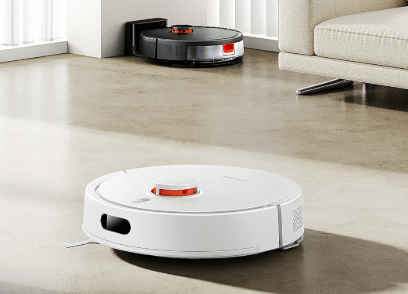
Your Xiaomi Robot Vacuum Cleaner Roborock 1C is designed to simplify daily cleaning, but over time its battery naturally loses capacity. If your robot vacuum no longer finishes cleaning, requires frequent charging, or refuses to charge at all, replacing the 2.6Ah P1904-4S1P-MM battery is an effective way to restore its performance.
This guide explains the common battery problems, how to identify a worn-out battery, and why a quality replacement battery is the best solution.
Common Signs of a Failing Roborock 1C Battery
Lithium-ion batteries gradually degrade after hundreds of charging cycles. You may notice one or more of the following symptoms:
- The robot vacuum runs for a much shorter time than before.
- Cleaning stops before the scheduled task is complete.
- The battery percentage drops unusually fast.
- The vacuum frequently returns to the charging dock.
- Charging takes much longer than normal.
- The vacuum shuts down unexpectedly during operation.
If these issues continue after basic troubleshooting, the battery may have reached the end of its service life.
Why Is the Battery Draining So Quickly?
Several factors can reduce battery runtime:
- Natural battery aging after prolonged use.
- Frequent deep discharge cycles.
- Dust accumulation causing the motor to work harder.
- Cleaning large homes on maximum suction mode.
- High or low storage temperatures.
- Long periods without using the robot.
Replacing an old battery restores the original cleaning time and improves overall efficiency.
What to Do If the Battery Won’t Charge
A battery that refuses to charge doesn’t always need immediate replacement. Before replacing it, try these checks:
- Clean the charging contacts on both the charging dock and the robot.
- Ensure the charging dock is connected to a stable power source.
- Restart the robot vacuum through the system settings.
- Update the firmware if an update is available.
- Leave the robot on the charging dock for several hours after a complete discharge.
If the battery still cannot charge or only charges to a low percentage, replacing the P1904-4S1P-MM battery is usually the most effective solution.
How to Tell If Your Battery Is Damaged
A replacement is recommended if you notice any of these warning signs:
- Runtime has dropped by more than 50%.
- The battery does not fully charge.
- The robot shuts down even when the battery indicator shows remaining power.
- Battery becomes unusually hot while charging.
- The battery is swollen or physically damaged.
- The robot repeatedly reports battery-related errors.
Do not continue using a swollen or damaged lithium battery. Replace it promptly for safe operation.
Benefits of a New 2.6Ah P1904-4S1P-MM Battery
Installing a new battery offers several advantages:
- Longer cleaning sessions
- Stable charging performance
- Reliable navigation throughout the home
- Reduced interruptions during scheduled cleaning
- Extended overall service life of your robot vacuum
A high-quality replacement battery delivers dependable power while maintaining compatibility with your Roborock 1C.
Typical Usage Scenarios
A fully functional battery is essential for many everyday cleaning tasks, including:
- Daily cleaning of apartments and family homes
- Removing pet hair from carpets and hard floors
- Scheduled automatic cleaning while you’re away
- Multi-room cleaning without frequent recharging
- Routine maintenance cleaning in offices and small businesses
With restored battery capacity, your robot vacuum can complete cleaning tasks more efficiently and consistently.
Tips to Extend Battery Life
To maximize the lifespan of your replacement battery:
- Keep the charging contacts clean.
- Avoid exposing the robot to extreme temperatures.
- Use the original charging dock whenever possible.
- Run the robot regularly instead of storing it unused for long periods.
- Clean brushes and filters frequently to reduce motor load.
- Store the robot with a partially charged battery if it will not be used for several weeks.
If your Xiaomi Robot Vacuum Cleaner Roborock 1C no longer delivers the runtime you expect or has charging problems, replacing the 2.6Ah P1904-4S1P-MM battery is a practical and cost-effective solution. A quality replacement battery restores reliable cleaning performance, extends operating time, and helps your robot vacuum continue keeping your home clean every day.