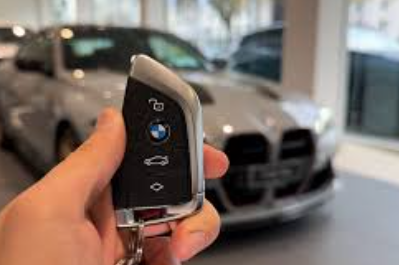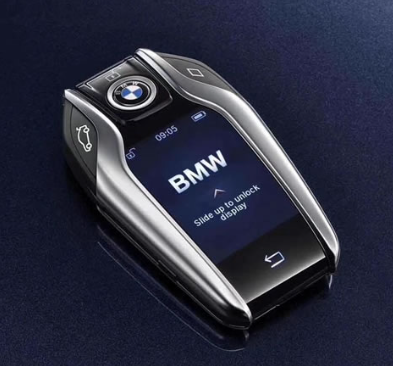
Modern car keys—especially key fobs and smart keys—make driving more convenient than ever. But when the battery runs low, that convenience quickly turns into frustration. If your key fob suddenly stops working or the signal weakens, it’s likely time for a car key battery replacement.
In this guide, you’ll learn how to replace a car key battery, common warning signs, and tips to keep your key working reliably.
What Is a Car Key Battery and Why It Matters
A car key battery is a small coin-cell battery (usually CR2032, CR2025, or CR2016) that powers your remote key fob. It enables functions like:
- Locking and unlocking doors remotely
- Opening the trunk
- Activating panic alarms
- Keyless entry and push-start ignition
Without a working battery, your key may still open the door manually, but all remote features will fail.
Signs You Need a Car Key Battery Replacement
Before your key fob completely stops working, it often gives warning signs:
- Reduced signal range
- Intermittent response
- Need to press buttons multiple times
- Dashboard warning like “Key Battery Low”
If you notice any of these, it’s time to replace your car key battery before you get locked out or stranded.
How to Replace a Car Key Battery (Step-by-Step)
Replacing a key fob battery is usually simple and takes just a few minutes. Here’s a universal method:
1. Identify Your Key Type
Check whether you have:
- A traditional remote key
- A flip key
- A smart key (push-start system)
Each type may open slightly differently.
2. Open the Key Fob
Look for a small notch or seam along the edge. Use:
- A small flathead screwdriver
- Or even a coin
Gently pry it open—avoid using excessive force to prevent damage.
3. Remove the Old Battery
Take note of:
- Battery type (e.g., CR2032)
- Polarity (which side faces up)
Carefully remove the old battery.
4. Insert the New Battery
Place the new battery in the same orientation. Make sure it sits firmly in place.
5. Reassemble the Key
Snap the key fob back together until it clicks securely.
6. Test the Key
Stand near your car and test all buttons to ensure everything works properly.
Tips for a Smooth Car Key Battery Replacement
To avoid issues during or after replacement:
- Always use high-quality batteries
- Avoid touching the battery surface with bare hands (can reduce lifespan)
- Replace batteries in pairs if you have multiple keys
- Keep a spare battery in your car or at home
How Long Does a Car Key Battery Last?
A typical car key battery lasts between 2 to 4 years, depending on usage and environmental factors. Frequent use, extreme temperatures, and signal interference can shorten battery life.
When to Seek Professional Help
While most replacements are DIY-friendly, consider professional assistance if:
- The key fob is sealed or difficult to open
- The key stops working even after battery replacement
- The key requires reprogramming
In such cases, a dealership or automotive locksmith can help.
Knowing how to replace a car key battery is a simple but essential skill that can save you time, money, and stress. With just a few steps, you can restore full functionality to your key fob and avoid unexpected issues.
If your key is showing signs of a weak battery, don’t wait—perform a quick car key battery replacement and keep your vehicle access smooth and hassle-free.