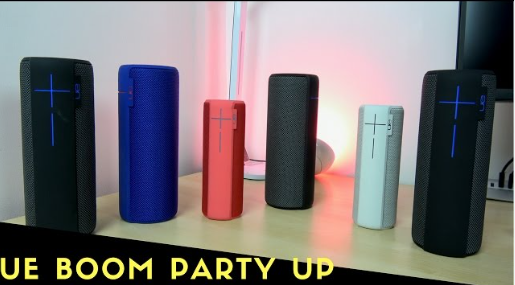
If your UE Boom speaker isn’t lasting as long as it used to, you’re not alone. Over time, battery performance naturally declines, leading many users to search for solutions like UE Boom battery replacement, Logitech UE Boom battery replacement, or even a reliable UE Boom battery replacement service. In this guide, we’ll walk you through everything you need to know—from understanding battery life to step-by-step replacement options.
Why UE Boom Battery Life Decreases Over Time
The UE Boom battery life is one of its standout features, typically offering up to 15 hours of playback when new. However, like all lithium-ion batteries, it degrades with repeated charge cycles.
Several factors can accelerate battery wear:
- Frequent full discharges
- Exposure to high temperatures
- Long-term storage without use
- Charging with non-original accessories
As the battery ages, you may notice shorter playtime, slower charging, or even unexpected shutdowns. When this happens, replacing the battery becomes the most effective solution.
Signs You Need a UE Boom Battery Replacement
Not sure if it’s time to replace your battery? Here are some clear indicators:
- Your speaker no longer holds a charge for more than a few hours
- It shuts off even when the battery indicator shows charge remaining
- Charging takes significantly longer than before
- The device won’t turn on unless plugged in
If you’re experiencing one or more of these issues, a UE Boom battery replacement is likely necessary.
How to Change the Battery in a UE Boom Speaker
Many users ask: “How to change the battery in a UE Boom speaker?” The good news is that it’s possible to do it yourself with the right tools and a bit of patience.
Step-by-Step Overview
1. Power Off the Speaker
Ensure the device is completely turned off and disconnected from any power source.
2. Remove the Bottom Cap
Carefully unscrew or pry open the bottom section of the speaker. This may require a small screwdriver or plastic pry tool.
3. Access the Battery Compartment
Inside, you’ll find the battery secured with connectors. Take note of how it’s installed before removing it.
4. Disconnect the Old Battery
Gently unplug the battery connector without damaging surrounding components.
5. Install the New Battery
Insert the replacement battery and reconnect it securely.
6. Reassemble the Speaker
Put everything back together and ensure all parts are firmly in place.
7. Test the Device
Charge the speaker fully and test its performance.
While this process is manageable for DIY enthusiasts, it does require care. If you’re not comfortable opening electronics, consider a professional service.
Logitech UE Boom Battery Replacement Service: Is It Worth It?
If you prefer a hassle-free solution, using a Logitech UE Boom battery replacement service is a smart choice. Professional technicians can ensure:
- Safe disassembly without damaging internal components
- Proper installation of compatible batteries
- Warranty or service guarantees
This option is especially useful if your speaker is still in good condition but you want to avoid the risks of DIY repair.
Choosing the Right Replacement Battery
When searching for a replacement, keep these factors in mind:
- Compatibility: Ensure the battery matches your UE Boom model
- Capacity (mAh): Higher capacity can extend usage time
- Quality: Choose certified or high-quality third-party batteries
- Safety: Look for protection against overcharging and overheating
A reliable battery ensures not only longer playback but also the safety of your device.
Tips to Extend Your UE Boom Battery Life
After replacing the battery, you’ll want to maximize its lifespan. Here’s how:
- Avoid letting the battery drop to 0% frequently
- Keep the speaker in moderate temperatures
- Use original or high-quality chargers
- Charge regularly if not in use
These simple habits can significantly improve long-term performance.
Bring Your UE Boom Back to Life
A declining battery doesn’t mean it’s time to replace your speaker. With the right approach—whether DIY or through a UE Boom battery replacement service—you can restore your device to near-original performance.
By understanding UE Boom battery life, recognizing the signs of wear, and learning how to change the battery in a UE Boom speaker, you’ll be able to extend the life of your favorite portable speaker and keep the music going.