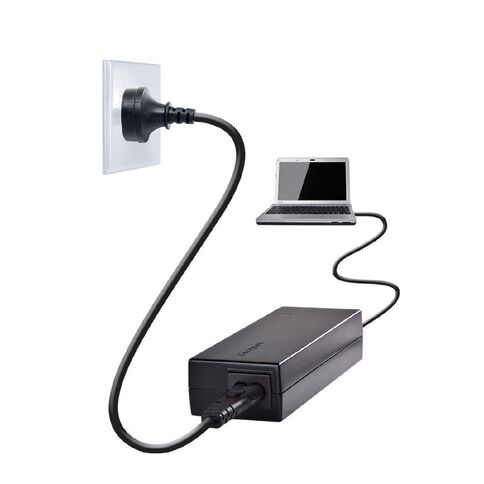
Laptop chargers are essential accessories that keep your device powered and functional. From laptop chargers NZ to specific HP laptop chargers, understanding their features and best practices can help you prolong your laptop’s life and avoid issues. This article will also address common questions like why laptop chargers have a box and what happens if you plug two chargers into a laptop.
Types of Laptop Chargers
There are several types of laptop chargers available depending on your laptop brand, model, and power requirements:
- Standard laptop chargers: Most laptops use a charger with a brick-style adapter connected to a power cable.
- USB-C laptop chargers: Newer laptops, especially ultrabooks, often support USB-C charging.
- Brand-specific chargers: For example, HP laptop chargers may have proprietary connectors and power ratings.
- Universal laptop chargers: Adjustable voltage and tips allow them to work with multiple laptop brands.
Laptop Chargers in NZ
If you’re searching for laptop chargers NZ, options include electronics retailers, online marketplaces, and authorized brand distributors. Buying locally ensures:
- Compatibility with local voltage and plugs
- Warranty and return support
- Access to genuine brand chargers for HP, Dell, Lenovo, and more
Why Do Laptop Chargers Have a Box?
Most laptop chargers feature a rectangular “brick” or box between the plug and the laptop. This box contains essential electronics:
- Converts AC (wall) power to the DC voltage required by the laptop
- Regulates voltage to prevent damage to the battery and motherboard
- Provides heat management and safety circuits
Without this box, laptops could receive unstable power, leading to battery damage or device failure.
What Happens if You Plug Two Chargers Into a Laptop?
It is strongly advised not to plug two chargers into a laptop. Modern laptops are designed to draw power from a single source. Attempting to use two chargers simultaneously can cause:
- Electrical damage to the laptop’s power circuits
- Short circuits or sparks
- Battery and charger malfunction
Always use the charger recommended by your laptop manufacturer or a certified compatible replacement.
Tips for Choosing and Using Laptop Chargers
To ensure safe and efficient charging, follow these tips:
- Use the manufacturer-recommended charger whenever possible.
- Check voltage and amperage to match your laptop’s requirements.
- Avoid cheap, unbranded chargers that may overheat or damage your laptop.
- Keep the charger and cables clean and avoid bending the cord sharply.
Laptop chargers are more than just power cables—they regulate voltage, ensure safety, and help maintain battery health. Whether you’re searching for laptop chargers NZ, need a specific HP laptop charger, or are curious about the purpose of the charger brick, understanding these details ensures safe and effective laptop usage. Never attempt to plug two chargers into one laptop, and always use certified chargers to protect your device.