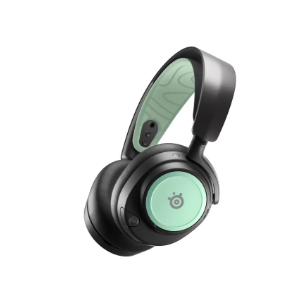
When using a SteelSeries Arctis Nova Pro headset for gaming, listening to music, or joining online meetings, a battery that runs out too quickly can interrupt the entire experience. You may notice that the headset needs charging more frequently than before, the battery indicator drops unexpectedly, or the headset stops working even after being charged. If these problems keep happening, the NP-45 battery may have lost some of its original capacity.
A compatible 700mAh NP-45 battery replacement can help restore reliable power when the original battery has deteriorated. Before replacing it, however, it is worth checking whether the problem comes from the battery, the charging connection, or another part of the headset.
Why Does the SteelSeries Arctis Nova Pro Battery Drain So Quickly?
A wireless headset battery gradually loses capacity through repeated charging and discharging. As the battery ages, it may store less energy than it did when new, resulting in shorter listening sessions and more frequent charging.
If your SteelSeries Arctis Nova Pro battery drains much faster than usual, you may notice that the headset no longer lasts through a long gaming session. The battery percentage may also decrease rapidly during use, even when you are not playing particularly demanding audio.
High volume, frequent wireless use, and power-intensive features can also affect operating time. If the battery life has declined significantly despite normal settings and usage, battery deterioration is a possible cause.
What to Do When the NP-45 Battery Won’t Charge
A battery that does not charge properly does not always mean the battery itself is defective. Start by checking the charging cable, power source, and charging contacts. If the headset uses a battery-swapping system, make sure the battery is correctly seated and that the charging equipment is functioning as expected.
Allow the device to return to room temperature if it has become unusually hot or cold, then try charging it under normal conditions. Avoid using damaged cables or charging equipment.
If the battery repeatedly fails to charge, loses its charge shortly after charging, or is not recognized by the device, it may have reached the end of its service life. A compatible replacement may be necessary after the charging system and other possible causes have been checked.
How to Tell Whether Your NP-45 Battery Is Damaged
Several signs can help you determine whether your SteelSeries Arctis Nova Pro battery needs attention.
First, compare the current battery life with its previous performance. A noticeable reduction in operating time is a common sign of capacity loss. Second, check whether the battery percentage changes unusually quickly or whether the headset shuts down unexpectedly despite showing remaining power.
Another warning sign is inconsistent charging. If the battery repeatedly fails to reach a normal charge level or loses power shortly after being disconnected from the charger, its condition may have deteriorated.
You should also inspect the battery for visible damage. Swelling, leakage, unusual odors, or excessive heat indicate that the battery should no longer be used. Do not attempt to recharge or install a damaged battery.
These symptoms can also result from charging or electronic faults, so they should be treated as indicators rather than definitive proof. If the problem persists, consider professional inspection before installing a replacement.
700mAh NP-45 Battery Replacement for SteelSeries Arctis Nova Pro
When the original battery can no longer provide sufficient operating time, replacing it with a compatible battery is a practical way to address battery-related problems.
The 700mAh NP-45 replacement battery is intended for users looking for a replacement power source for compatible SteelSeries Arctis Nova Pro equipment. Before purchasing, check the original battery label, connector, dimensions, voltage, and the specific headset or battery-pack version. The NP-45 designation alone does not guarantee compatibility with every Arctis Nova Pro configuration.
A correctly matched replacement can help resolve problems caused by reduced battery capacity, frequent recharging, and unexpected power loss. Actual operating time depends on battery condition, device configuration, volume, wireless features, and usage habits.
Always follow the device manufacturer’s replacement instructions. If your headset uses a removable battery pack, confirm that the replacement fits the pack correctly. If the battery is internal, professional installation may be preferable.
Everyday Uses: Gaming, Music, and Online Meetings
A dependable battery is important when using a wireless headset throughout the day.
During gaming sessions, stable battery performance helps prevent unexpected interruptions in the middle of a match. For music and video streaming, sufficient battery capacity means fewer charging breaks. During remote work, online classes, and video conferences, reliable power helps you stay connected without having to stop and recharge frequently.
If you regularly travel with your headset or use it for extended periods away from a power source, a properly functioning replacement battery can also make daily use more convenient.
Frequently Asked Questions
How do I know if my SteelSeries Arctis Nova Pro battery needs replacement?
If the battery drains unusually fast, the headset shuts down unexpectedly, or charging performance has deteriorated despite checking the charging equipment, the battery may need replacement.
Can a 700mAh NP-45 battery fix short battery life?
It may help if the problem is caused by a worn-out original battery and the replacement is compatible with your exact device configuration. It will not resolve software, charging-system, or other hardware faults.
Why does my NP-45 battery stop charging before it is full?
Possible causes include battery deterioration, poor electrical contact, a faulty cable, or a problem with the charging system. Check the charging setup before concluding that the battery is defective.
Will a replacement battery provide longer operating time?
A replacement can restore performance closer to what you would expect from a healthy battery, but actual runtime varies with device settings, usage, and battery condition. The 700mAh rating alone does not guarantee a specific number of operating hours.
What should I check before ordering an NP-45 battery replacement?
Verify the battery model, voltage, capacity, connector, dimensions, and compatibility with your specific SteelSeries Arctis Nova Pro version. If any specification differs from the original battery, confirm compatibility before purchasing.
Short battery life, inconsistent charging, and unexpected shutdowns can make the SteelSeries Arctis Nova Pro less convenient for gaming, entertainment, and everyday communication. Checking the charging equipment and identifying signs of battery deterioration can help you determine the next step.
If the original battery has lost capacity, a compatible 700mAh NP-45 battery replacement may offer a practical solution. Confirm the exact battery specifications and device compatibility before replacing it to ensure a suitable fit and reliable operation.