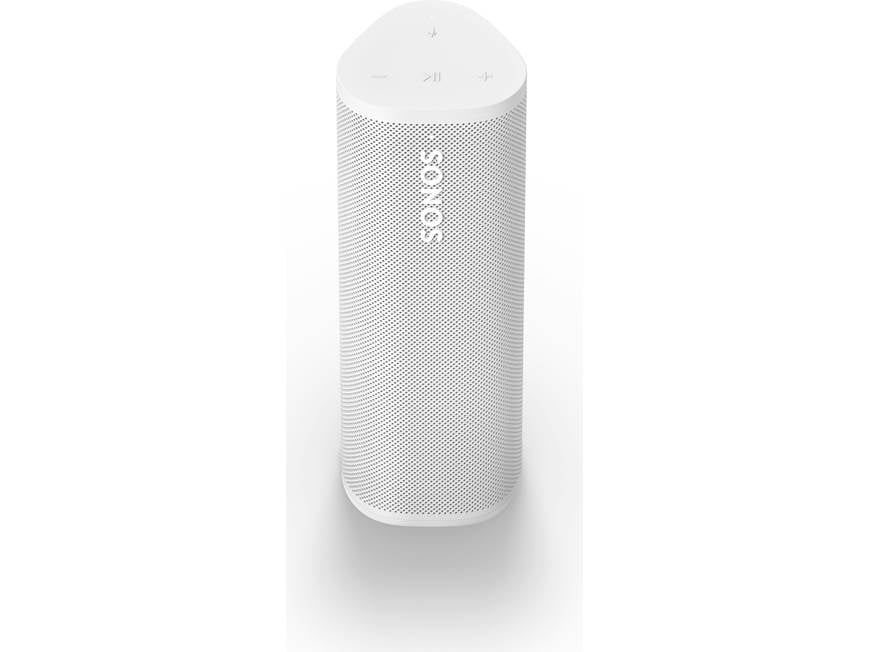
If your SONOS device no longer lasts as long as it used to, shuts down unexpectedly, or refuses to charge, the battery may be reaching the end of its service life. A reliable SONOS IP-03-6802-001 battery replacement can help restore normal battery performance and extend the useful life of your device.
The 2600mAh IP-03-6802-001 replacement battery is designed as a replacement option for batteries identified by IP-03-6802-001, IP-03-9291-001, and 111-0006. Before purchasing a replacement, always check the original battery model, connector, dimensions, voltage and device compatibility.
Key Features of the IP-03-6802-001 Replacement Battery
The IP-03-6802-001 battery has a capacity of 2600mAh, providing a practical replacement solution for a SONOS device with an aging or damaged battery.
Key specifications include:
- Battery Model: IP-03-6802-001
- Capacity: 2600mAh
- Compatible Battery Numbers: IP-03-6802-001, IP-03-9291-001, 111-0006
- Battery Type: Rechargeable lithium battery
- Application: SONOS compatible device
- Purpose: Replacement for an original worn-out battery
A replacement battery is particularly useful when the original battery has experienced significant capacity loss after extended use.
Why Does My SONOS Battery Drain So Quickly?
One of the most common signs of battery aging is significantly reduced runtime. A device that once worked for hours may begin requiring frequent charging.
Several factors can contribute to short battery life:
1. Battery Aging
Rechargeable lithium batteries gradually lose capacity after repeated charge and discharge cycles. Even when the battery appears to charge normally, its actual usable capacity may have decreased considerably.
2. Frequent High-Power Use
Using the device at higher volume levels or with power-intensive functions for extended periods can increase battery consumption.
3. Background Power Consumption
Wireless connectivity and other active functions can continue consuming power even when the device is not being used heavily.
4. Long-Term Storage
Leaving a rechargeable battery unused for a long period, particularly in unsuitable conditions, can negatively affect its performance.
If the battery drains unusually fast despite normal usage, replacing the aging battery with a compatible 2600mAh IP-03-6802-001 battery may be worth considering.
What Should I Do If My SONOS Battery Will Not Charge?
A battery that does not charge does not always mean that the battery itself is defective. Before replacing it, several basic checks can help identify the cause.
Check the Charging Equipment
Try the original or a known-good compatible charging cable, adapter, or charging accessory. A damaged cable or power adapter can prevent the battery from charging properly.
Check the Charging Connection
Inspect the charging port and connector for dust, debris, looseness, or visible damage. A poor connection can cause intermittent charging.
Restart the Device
If the device is responsive, restart it and then try charging again. Temporary software or power-management issues can sometimes interfere with charging behavior.
Allow a Deeply Discharged Battery to Recover
If the battery has been completely depleted, it may take some time before normal charging behavior becomes visible. Leave it connected to a suitable charger for a reasonable period and monitor the charging response.
If the device still cannot charge after checking the charging accessories and connections, the internal battery may have deteriorated.
How to Tell If the SONOS Battery Is Damaged
Knowing the symptoms of a failing battery can help you decide whether replacement is necessary.
Common warning signs include:
- Battery percentage drops unusually quickly.
- The device shuts down even when the battery indicator shows remaining power.
- The battery only lasts for a short period after a full charge.
- The device cannot hold a charge.
- Charging repeatedly starts and stops.
- The device only works reliably when connected to external power.
- The battery or device becomes unusually hot during charging or use.
- The battery shows visible swelling or physical deformation.
Important: If a lithium battery is swollen, leaking, damaged, or becomes abnormally hot, stop using and charging the device. Do not puncture, squeeze, or attempt to repair a damaged battery.
When Is an IP-03-6802-001 Battery Replacement a Good Choice?
Replacing the battery can be a practical solution when the device itself is still working properly but the original battery has lost significant capacity.
A 2600mAh IP-03-6802-001 replacement battery may be suitable for situations such as:
Home Entertainment
A SONOS device can be used around the home for music and entertainment. A healthy replacement battery helps reduce the need for frequent charging.
Portable Listening
If the compatible SONOS device is regularly moved between rooms or used away from a permanent power source, battery condition becomes especially important.
Long Listening Sessions
For users who frequently listen to music for extended periods, an aging battery can become inconvenient. A replacement can help restore more dependable operating time.
Backup or Secondary Device
A replacement battery can also be useful for a secondary SONOS device that is still functional but has developed poor battery performance.
How to Choose the Right SONOS Replacement Battery
Before ordering an IP-03-6802-001 replacement battery, compare the information on your original battery with the replacement product.
Pay attention to:
- Battery model number: Confirm IP-03-6802-001 or the applicable compatible number.
- Capacity: The replacement is rated at 2600mAh.
- Voltage: Make sure the replacement battery has the correct voltage specification.
- Connector: Check that the connector and wiring configuration match the original battery.
- Physical dimensions: The battery must fit correctly inside the device.
- Device compatibility: Confirm that your specific SONOS model is supported.
Do not select a replacement battery based solely on capacity. Electrical specifications and physical compatibility are equally important.
Tips to Extend Battery Life
Once a replacement battery has been installed, good charging habits can help maintain battery performance.
- Avoid exposing the device to excessive heat.
- Use a suitable charger and charging accessories.
- Avoid repeatedly allowing the battery to remain completely empty.
- Store the device in a cool, dry environment when not in use.
- Do not continue using a battery that shows signs of swelling or physical damage.
- If the device will be stored for an extended period, avoid leaving the battery completely discharged.
A short runtime, unexpected shutdowns, and charging problems are common indicators that a rechargeable battery may have reached the end of its useful life. If your compatible SONOS device uses an IP-03-6802-001, IP-03-9291-001, or 111-0006 battery, a 2600mAh IP-03-6802-001 battery replacement can be a practical option when the original battery has significantly degraded.
Before replacement, check the charger, charging connection, and device behavior to rule out external causes. If the battery consistently drains quickly, cannot hold a charge, or shows other signs of deterioration, choosing a properly matched replacement battery can help restore more reliable everyday use.