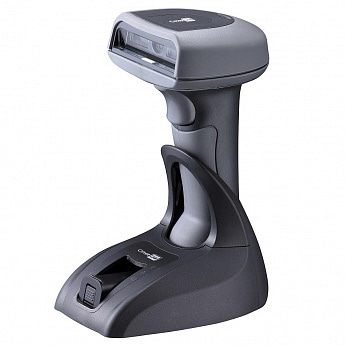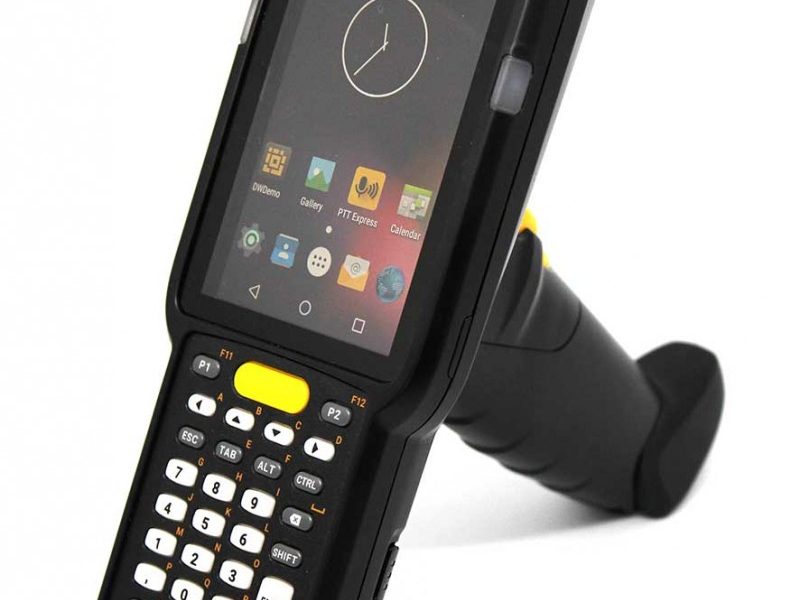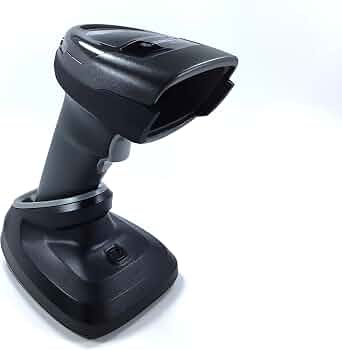
Wireless barcode scanners make daily scanning faster and more convenient, especially in retail stores, warehouses, logistics centers, and other busy workplaces. However, when the battery begins to age, problems such as short battery life, unexpected shutdowns, and charging failures can seriously affect productivity.
The 3150mAh BT-000317-01 battery replacement is designed as a replacement solution for compatible Zebra cordless barcode scanner systems, including the Zebra DS22, DS2278, DS2278SR and CR2278. If your scanner is no longer providing reliable battery performance, understanding the common symptoms and replacement options can help you restore dependable scanning performance.
Why Does a Zebra DS2278 Battery Drain Quickly?
One of the most common signs of an aging battery is significantly reduced runtime.
A new or healthy battery should provide sufficient power for normal scanning operations. If your Zebra DS2278 or DS2278SR needs to be placed on the charging cradle much more frequently than before, the battery may have lost part of its original capacity.
Common causes of short battery life include:
- Normal battery aging after repeated charge cycles
- Frequent scanning throughout the workday
- Long-term use in high-temperature environments
- Battery capacity degradation
- Leaving the scanner unused for an extended period
- Charging and discharging the battery repeatedly
If the scanner works normally when connected to its charging system but shuts down quickly after being removed, battery degradation is one possible cause.
Zebra DS2278 Battery Not Charging: What Should You Check?
Another common problem is that the Zebra DS2278 battery will not charge.
Before replacing the battery, check the charging accessories and connections. Make sure the scanner is positioned correctly in the compatible charging cradle and that the contacts are clean. It is also useful to check whether the charging equipment is functioning correctly.
If the charging setup works correctly but the scanner consistently fails to charge, the battery may have reached the end of its service life.
Typical charging-related symptoms include:
- The battery does not appear to charge
- Charging takes much longer than usual
- The scanner loses power shortly after charging
- Battery level remains unusually low
- The scanner shuts down during normal scanning
- The battery becomes unreliable after repeated charging
When these symptoms continue after checking the charging setup, replacing the battery can be a practical solution.
How to Tell If Your Zebra Scanner Battery Is Damaged
Not every power problem means that the battery itself is defective. A few simple observations can help determine whether replacement is necessary.
1. Check Battery Runtime
Fully charge the scanner and use it under normal working conditions. If runtime has decreased dramatically compared with its previous performance, the battery may have degraded.
2. Observe Unexpected Shutdowns
If the scanner suddenly turns off even though the battery indicator still shows remaining power, the battery may no longer be able to maintain stable voltage under load.
3. Monitor Charging Behavior
A battery that consistently refuses to charge, charges abnormally slowly, or loses its charge immediately after charging should be inspected and potentially replaced.
4. Compare With Another Scanner
If your workplace has another compatible scanner, comparing charging behavior and runtime can help determine whether the problem is related to the battery or another part of the scanning system.
5. Check for Physical Damage
Do not continue using a battery that is visibly swollen, cracked, leaking, excessively hot, or otherwise physically damaged. A damaged lithium-ion battery should be replaced safely.
Why Choose a 3150mAh BT-000317-01 Replacement Battery?
A 3150mAh BT-000317-01 battery replacement can help restore dependable power to compatible Zebra scanning equipment.
The replacement battery is particularly useful when an original battery has experienced significant capacity loss. With a suitable replacement, businesses can reduce interruptions caused by frequent charging and keep scanners available for longer periods during daily operations.
Before purchasing, always verify the battery model, scanner compatibility, connector configuration, voltage, and physical dimensions against your existing battery and device.
Common Applications for Zebra DS2278 Replacement Batteries
Zebra cordless scanners are widely used in environments where mobility and fast scanning are important.
Retail Stores
Cashiers and store employees can use cordless barcode scanners to scan products, check prices, manage inventory, and process customer purchases. A reliable battery helps prevent interruptions during busy periods.
Warehouses
Warehouse workers may scan incoming goods, inventory items, storage locations, and outgoing packages. Long battery runtime is especially useful when workers move around large facilities.
Logistics and Shipping
Shipping departments rely on barcode scanning to identify packages and track shipments. A dependable scanner battery can help maintain efficient package-processing workflows.
Inventory Management
Businesses conducting stock counts may need to scan hundreds or thousands of barcodes during a single shift. A replacement battery can provide a practical way to keep compatible scanners operational.
Manufacturing
Manufacturing facilities can use barcode scanners for component identification, production tracking, and finished-product management. Reliable wireless scanning equipment helps employees move freely around the production area.
When Should You Replace Your Zebra DS22 or DS2278 Battery?
Consider replacing the battery when your scanner consistently shows one or more of these symptoms:
- Battery runtime is much shorter than before
- The scanner frequently shuts down unexpectedly
- The battery cannot hold a charge
- Charging becomes unreliable
- The scanner needs to remain on the charging cradle most of the time
- Battery performance has noticeably declined after extended use
Replacing an aging battery can be more convenient and economical than replacing an otherwise functional barcode scanner.
A weak battery can turn a reliable cordless barcode scanner into a source of daily interruptions. If your Zebra DS22, DS2278, DS2278SR or CR2278 is experiencing short battery life, charging problems, or unexpected shutdowns, checking the battery should be one of the first troubleshooting steps.
The 3150mAh BT-000317-01 battery replacement offers a replacement option for compatible Zebra scanner systems. Before installation, carefully confirm the battery model and device compatibility. With the right replacement battery, your barcode scanner can return to more reliable operation for retail, warehouse, logistics, inventory, and manufacturing applications.