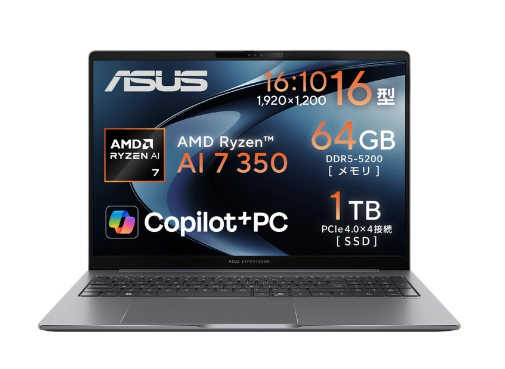
A reliable battery is essential for getting the most out of an Asus ExpertBook. Whether you use your laptop for office work, business travel, online meetings, studying, or everyday browsing, poor battery performance can quickly become frustrating.
The 3640mAh B31N1915 battery is a replacement battery designed for compatible Asus ExpertBook B1 models, including the Asus B1400CEAE, B1500CEAE and L1 L1400CDA. If your laptop battery drains much faster than before, refuses to charge, or shuts down unexpectedly, replacing the aging battery may restore more reliable mobile performance.
Compatible Models for the B31N1915 Battery
Before purchasing a replacement battery, always check the battery model number and laptop compatibility.
The B31N1915 replacement battery is commonly associated with the following Asus ExpertBook models:
- Asus ExpertBook B1 B1400CEAE
- Asus ExpertBook B1 B1500CEAE
- Asus ExpertBook L1 L1400CDA
The exact battery specifications, connector design, dimensions, and voltage should be checked against the original battery before installation.
Why Does the Asus ExpertBook Battery Have a Short Battery Life?
One of the most common signs of an aging laptop battery is significantly reduced runtime.
When the laptop is new, the battery can normally provide useful working time away from a power outlet. After repeated charge and discharge cycles, however, the battery’s actual capacity gradually decreases.
You may notice symptoms such as:
- The battery percentage drops rapidly.
- A fully charged laptop lasts only a short time.
- The battery falls from 30% to 10% unusually quickly.
- The laptop shuts down shortly after being unplugged.
- Battery performance becomes inconsistent.
- The laptop needs to remain connected to the charger during normal work.
Software, screen brightness, background applications, Wi-Fi usage, and high CPU loads can also reduce runtime. However, if battery life remains poor even after optimizing these settings, the battery itself may have reached the end of its useful service life.
Asus ExpertBook Battery Not Charging: What Should You Check?
A laptop that cannot charge does not necessarily mean the battery is defective. Several components can cause charging problems.
1. Check the AC Adapter
Make sure the charger is firmly connected to both the laptop and the power outlet. If possible, test the laptop with a known-compatible charger.
2. Check the Charging Port
Dust, loose connections, or physical damage around the charging port can interfere with charging. Avoid forcing the connector into the port.
3. Restart the Laptop
Temporary operating-system or power-management errors can sometimes cause incorrect battery status information. A restart may help determine whether the problem is temporary.
4. Check Battery Recognition
If the Asus ExpertBook recognizes the battery but the percentage remains unchanged for a long period, the battery or charging system may require further inspection.
5. Consider Battery Aging
If the original battery has been used for a long time and its capacity has dropped considerably, installing a compatible B31N1915 battery replacement may be a practical solution.
How to Tell If the B31N1915 Battery Is Damaged
Several symptoms can indicate that the original battery should be replaced.
Rapid Battery Drain
If the laptop loses battery power much faster than it previously did during the same workload, battery capacity may have significantly degraded.
Unexpected Shutdowns
A laptop that suddenly turns off even when the battery indicator shows a remaining charge can indicate an unstable or heavily degraded battery.
Battery Percentage Behaves Abnormally
For example, the battery may remain at 100% for a while and then suddenly drop to 60%, 40%, or another lower percentage. Inconsistent readings can be a sign of battery aging or calibration problems.
Battery Is Not Detected
If the operating system cannot recognize the battery, the issue may involve the battery connection, battery electronics, or the laptop’s charging system.
Physical Swelling
A swollen or deformed lithium-ion battery should not be used or punctured. If you notice swelling, stop using the battery and have it handled or replaced by a qualified technician.
Why Choose a 3640mAh B31N1915 Replacement Battery?
For users whose original battery has become unreliable, a compatible 3640mAh B31N1915 replacement battery can help restore convenient cordless operation.
A replacement battery is particularly useful when:
- The original battery no longer holds enough charge.
- Battery runtime has become too short.
- The laptop frequently shuts down unexpectedly.
- The battery cannot be charged normally.
- You frequently work away from a power outlet.
- You want to extend the useful life of an Asus ExpertBook.
Before purchasing, compare the B31N1915 model number, capacity, voltage, connector, dimensions, and laptop model with the original battery.
Everyday Usage Scenarios
The Asus ExpertBook B1 series is suitable for many mobile computing situations. A dependable replacement battery can be useful in the following scenarios.
Business and Office Work
For emails, spreadsheets, documents, presentations, and web-based applications, a healthy battery allows you to move between meeting rooms or work locations without constantly searching for a power outlet.
Students and Online Learning
Students can use their Asus ExpertBook for note-taking, research, online classes, and document editing. A replacement battery can provide more flexibility when studying in classrooms, libraries, or cafés.
Business Travel
During train journeys, flights, conferences, and business trips, access to a power outlet may not always be convenient. A properly functioning battery makes the laptop easier to use while traveling.
Remote Work
For remote workers who move between different rooms or locations, replacing an aging battery can make the laptop more convenient for everyday mobile work.
Tips to Improve Asus ExpertBook Battery Life
Even with a new battery, good power-management habits can help extend runtime.
- Reduce screen brightness when full brightness is unnecessary.
- Close applications running in the background.
- Disable Bluetooth or other wireless features when they are not needed.
- Use the appropriate Windows power mode.
- Keep unnecessary startup applications to a minimum.
- Avoid exposing the laptop to excessive heat.
- Keep the operating system and relevant drivers updated.
- Avoid unnecessary high-performance workloads when operating on battery power.
These steps can reduce power consumption and help you get more useful runtime from your replacement battery.
How to Replace the Asus B31N1915 Battery
Battery replacement should be performed carefully. Before opening the laptop, shut it down completely and disconnect the AC adapter.
The general process includes:
- Confirm that the replacement battery matches the original B31N1915 battery.
- Shut down the Asus ExpertBook completely.
- Disconnect the charger and other external devices.
- Remove the bottom cover according to the laptop’s service procedure.
- Disconnect the original battery carefully.
- Install the compatible B31N1915 replacement battery.
- Reassemble the laptop.
- Start the laptop and check whether the new battery is recognized.
- Connect the charger and verify that charging works normally.
If you are not experienced with laptop disassembly, professional installation is recommended to avoid damaging internal components.
A short battery life, charging failure, unexpected shutdowns, and abnormal battery percentages can all indicate that an Asus ExpertBook’s original battery is aging. For compatible models such as the Asus ExpertBook B1 B1400CEAE, B1500CEAE and L1 L1400CDA, the 3640mAh B31N1915 battery replacement can be considered when the original battery no longer provides reliable performance.
Before ordering, always verify the original battery model and the laptop’s compatibility information. Choosing the correct replacement battery and using proper battery-care habits can help keep your Asus ExpertBook convenient and dependable for everyday work, study, travel, and mobile computing.