Laptop chargers are essential accessories, yet many users only think about them when something goes wrong. Whether you’re searching for laptop chargers in NZ, replacing an old cable, or choosing HP laptop chargers, understanding how chargers work can help you charge safely and extend the life of your laptop.
This guide answers common questions about laptop chargers and clears up some frequent misconceptions.
What Are Laptop Chargers and How Do They Work?
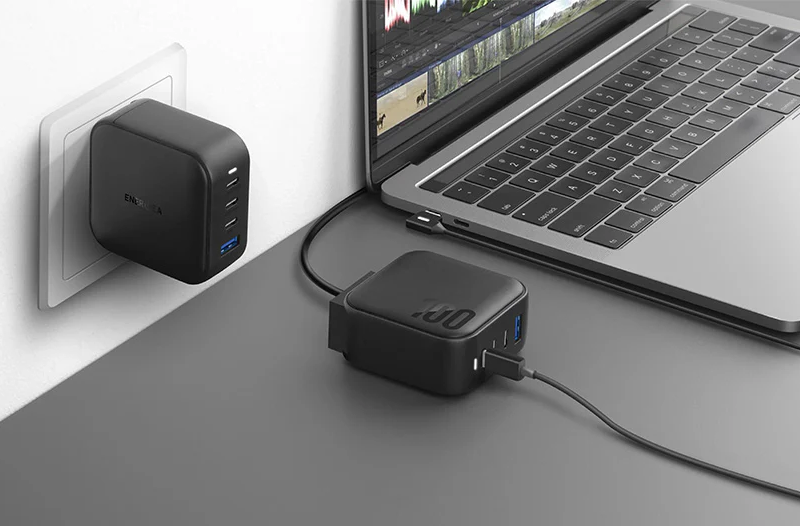
Laptop chargers convert electricity from a wall outlet into a stable voltage that your laptop can safely use. Inside every charger is circuitry designed to regulate power and protect your device from fluctuations.
Different laptops require different wattages and connector types, which is why using the correct charger matters. While many modern chargers look similar, not all laptop chargers are interchangeable.
HP Laptop Chargers and Compatibility
HP laptop chargers are designed to match specific voltage, amperage, and connector standards. Using an incompatible charger may lead to slow charging, overheating, or warning messages from the system.
When replacing an HP charger, always check:
- output voltage and current
- connector size or USB-C compatibility
- supported wattage for your laptop model
Choosing the right charger helps maintain battery health and overall performance.
What Happens If You Plug 2 Chargers Into a Laptop?
A common question is what happens if you plug 2 chargers into a laptop. In most cases, laptops are engineered to accept power from only one source at a time.
If two chargers are connected:
- the laptop typically draws power from one input
- no faster charging occurs
- there is a risk of electrical stress if adapters or ports are not designed for dual input
For safety reasons, using only one charger at a time is always recommended.
Why Do Laptop Chargers Have a Box?
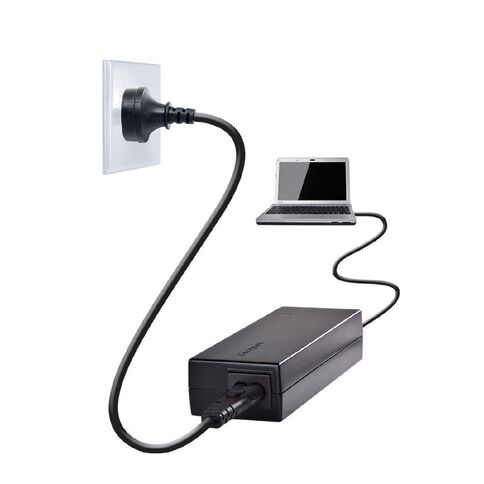
Many people wonder why laptop chargers have a box along the cable. That box is not just extra plastic—it contains important electronic components.
The box, often called a power brick or adapter, serves to:
- convert AC power to DC power
- regulate voltage and current
- reduce electrical noise and heat
Without this component, laptops would be exposed to unstable power that could damage internal components or the battery.
Buying Laptop Chargers in NZ: What to Look For
When shopping for laptop chargers NZ, quality and compatibility should be top priorities. Whether you choose an original charger or a high-quality compatible option, make sure it meets your laptop’s specifications.
Key points to consider:
- correct voltage and wattage
- safety certifications
- build quality and cable durability
A reliable charger ensures stable power delivery and protects both your laptop and its battery.
Understanding how laptop chargers work makes it easier to choose the right one and avoid common charging mistakes. From selecting compatible HP laptop chargers to knowing why laptop chargers have a box and what happens if you connect two chargers, a little knowledge goes a long way.