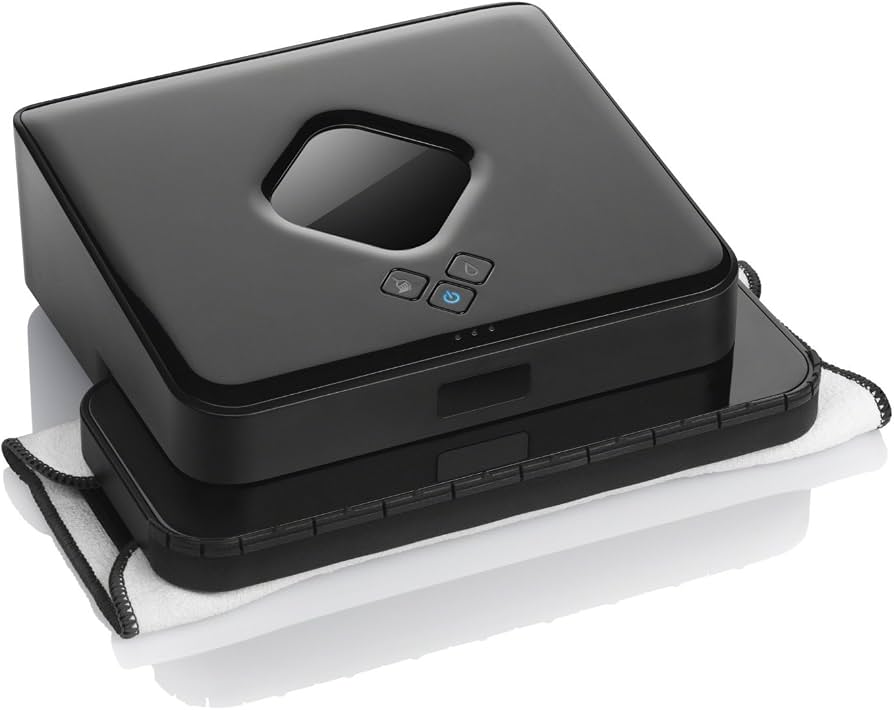
The iRobot Braava 380T is designed to make floor cleaning more convenient by helping users mop and sweep hard floors with less manual effort. However, as with many cordless cleaning devices, the battery can gradually lose capacity after repeated charging cycles.
If your Braava 380T suddenly runs for a much shorter time, stops during cleaning, or refuses to charge, the battery may be reaching the end of its service life. A 2000mAh 4409709 battery replacement for iRobot Braava 380T can help restore reliable operating time and make the cleaner more practical for everyday use.
Why Does the iRobot Braava 380T Battery Have a Short Runtime?
A noticeable reduction in runtime is one of the most common signs of battery aging. A new or healthy battery should provide sufficient power for normal cleaning tasks, while an aging battery may discharge much faster than expected.
Several factors can cause the Braava 380T battery life to become short:
- The battery has gone through many charge and discharge cycles.
- The battery capacity has naturally decreased with age.
- The device is used frequently for large cleaning areas.
- The battery has been stored for a long period without proper charging.
- Charging or battery contacts are dirty.
- The battery has developed an internal fault.
For example, if your Braava 380T used to complete a normal cleaning session but now shuts down after a relatively short period, checking the battery should be one of the first troubleshooting steps.
iRobot Braava 380T Battery Not Charging: What Should You Check?
Another common problem is that the iRobot Braava 380T battery is not charging. Before immediately replacing the battery, it is worth checking several basic components.
1. Check the Charging Connection
Make sure the charging cable, adapter, and charging connection are properly connected. A loose connection can prevent the battery from receiving power.
2. Clean the Charging Contacts
Dust and dirt can accumulate around the charging contacts after repeated use. Carefully clean the contacts and make sure there is no visible debris interfering with the connection.
3. Allow the Battery to Charge
If the battery has been completely discharged, it may require some time before the device shows obvious signs of charging. Leave it connected to the appropriate charger and check whether the charging indicator changes.
4. Try Another Compatible Charging Setup
If the charger and cable are suspected to be the problem, testing with a known-good compatible charging setup can help determine whether the problem is related to the charger or the battery.
If the charging system appears to work normally but the Braava 380T still cannot hold a charge, the battery itself may need to be replaced.
How to Tell If the Braava 380T Battery Is Bad?
Knowing how to tell if a Braava 380T battery is bad can help you avoid replacing a perfectly functional battery.
Common warning signs include:
Very Short Operating Time
If the cleaner runs for only a small fraction of its previous runtime, the battery may have significantly reduced capacity.
Unexpected Shutdown
Aged batteries can sometimes cause the device to shut down suddenly even though the battery indicator suggests that power remains.
Repeated Charging Problems
If the Braava 380T repeatedly fails to charge after checking the charger and charging contacts, the battery may be defective.
Battery Does Not Hold a Charge
If the device appears to charge normally but loses power very quickly after being disconnected from the charger, the battery may no longer be able to store sufficient energy.
Physical Damage or Swelling
Never continue using a battery that is visibly swollen, leaking, cracked, or otherwise damaged. A physically damaged lithium battery should be handled carefully and replaced appropriately.
Why Choose a 2000mAh 4409709 Replacement Battery?
A 2000mAh 4409709 battery replacement is designed for users who need to replace an aging or defective battery in their iRobot Braava 380T.
Before purchasing a replacement battery, always check the battery model number, voltage, connector, dimensions, and device compatibility. The model number 4409709 and the listed specifications should be compared with the battery currently installed in your device.
A suitable replacement battery can provide several advantages:
- Restore more reliable operating time
- Reduce unexpected shutdowns
- Help solve battery-related charging problems
- Make the Braava 380T more convenient for regular cleaning
- Extend the useful life of the cleaning device
- Avoid replacing the entire cleaner when only the battery has degraded
Where Can You Use the iRobot Braava 380T?
The Braava 380T is particularly useful for routine cleaning of hard-floor surfaces. With a healthy battery, it can be used in a variety of household environments.
Kitchen Floors
Kitchen floors can accumulate dust, crumbs, and other everyday dirt. A cordless floor-cleaning device can be useful for maintaining these areas between deeper cleaning sessions.
Living Rooms
For larger hard-floor areas, a healthy battery helps the Braava 380T operate for longer cleaning sessions without frequent interruptions.
Bedrooms and Hallways
The compact design of a robotic floor cleaner makes it convenient for regular cleaning in bedrooms, corridors, and other household areas with suitable hard flooring.
Daily Maintenance Cleaning
The Braava 380T can also be useful for frequent light cleaning. Regular use can help reduce the accumulation of dust and dirt between more intensive cleaning sessions.
Tips for Getting Better Battery Performance
Replacing the battery is only part of maintaining good performance. Proper everyday use can also help the replacement battery provide reliable service.
Avoid leaving the device unused with a completely discharged battery for extended periods. Keep the charging contacts clean and store the cleaner in a suitable, dry environment.
If the device will not be used for a long time, periodically check its battery condition rather than leaving it completely discharged indefinitely.
It is also important to use a compatible charger and avoid attempting to modify the battery pack or charging system.
When Should You Replace the Braava 380T Battery?
You should consider a Braava 380T battery replacement when the original battery can no longer provide sufficient runtime for your normal cleaning routine.
In particular, replacement is worth considering when:
- Runtime has become noticeably shorter.
- The device shuts down unexpectedly.
- The battery cannot maintain a charge.
- Charging problems continue after basic troubleshooting.
- The original battery is old or heavily used.
- The battery shows signs of physical damage.
A replacement battery can be a practical solution when the cleaner itself remains in good working condition.
A weak battery can significantly affect the performance of the iRobot Braava 380T. If your cleaner has short battery life, charging problems, or unexpected shutdowns, the battery should be one of the first components to investigate.
The 2000mAh 4409709 battery replacement for iRobot Braava 380T can be considered when the original battery has reached the end of its useful life. Before installation, always confirm the battery model, specifications, connector, and compatibility with your particular device.
With the right replacement battery and proper maintenance, your Braava 380T can continue to be a convenient tool for everyday hard-floor cleaning.