A reliable home security system is essential for protecting your property, but even the best alarm systems can experience problems when the backup battery becomes old or weak. Many homeowners searching for home alarm battery replacement NZ want to know whether they can replace the battery themselves and how to stop the annoying low battery warning beep.
In this guide, we explain how home alarm batteries work, when replacement is needed, and the steps to fix common issues such as continuous beeping caused by a low battery.
Why Does a Home Alarm System Need a Battery?
Most home security alarms are connected to mains power, but they also include a rechargeable backup battery. This battery keeps the alarm system working during power outages and ensures your home remains protected even when electricity is unavailable.
Over time, alarm batteries naturally lose their ability to hold a charge. In most cases, a backup battery lasts around 3 to 5 years depending on the alarm model, usage, and environmental conditions.
Common signs your alarm battery needs replacement:
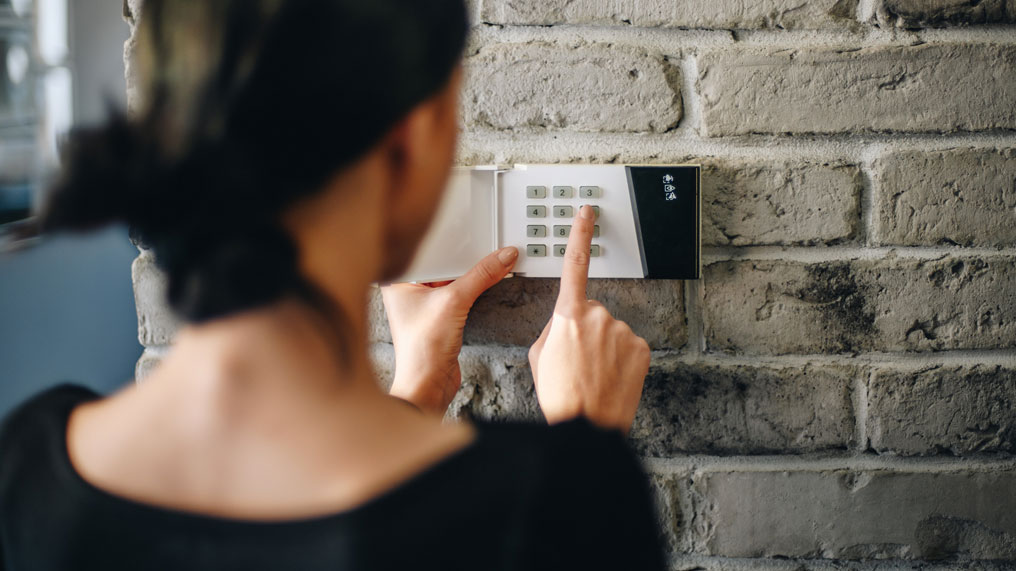
- Your alarm keypad displays a low battery warning.
- The alarm system makes regular beeping sounds.
- The backup battery no longer works during a power outage.
- The alarm panel shows a battery fault message.
- The system resets unexpectedly.
Home Alarm Battery Replacement NZ: Can You Replace It Yourself?
Many homeowners ask: “Can I change a house alarm battery myself?” The answer is usually yes, as replacing a standard alarm backup battery is often a simple maintenance task.
Most home alarm systems use sealed lead acid rechargeable batteries, commonly available in sizes such as 12V 7Ah or 12V 4Ah. However, the correct battery type depends on your alarm brand and model.
Before replacing your alarm battery, check:
- The alarm manufacturer’s recommended battery specifications.
- The battery voltage and capacity.
- The physical size of the replacement battery.
- The connection type and terminals.
Choosing the correct replacement battery helps maintain reliable security performance and prevents future alarm faults.
How to Replace a Home Alarm Battery Step by Step
If you are comfortable performing basic maintenance, you can usually replace your alarm battery by following these steps:
- Disconnect the alarm from power: Turn off the mains power supply if required by your alarm system instructions.
- Open the alarm control panel: Locate the main alarm box, usually installed in a cupboard, garage, or utility area.
- Disconnect the old battery: Remove the battery connectors carefully from the terminals.
- Install the new battery: Connect the new battery with the correct polarity.
- Close the panel and restore power: Check that the alarm system returns to normal operation.
If your alarm system is connected to professional monitoring, you may need to notify your security provider before or after replacing the battery.
How Do I Stop My House Alarm From Beeping With a Low Battery?
One of the most common questions from homeowners is: “How do I stop my house alarm from beeping with a low battery?”
The beeping sound is a warning that the backup battery cannot maintain proper power. The best solution is to replace the battery rather than simply silence the alarm.
Methods to stop low battery alarm beeping:
- Replace the old backup battery: This is the most effective and permanent solution.
- Check the power connection: Make sure the alarm system is receiving normal mains power.
- Reset the alarm system: Some alarm panels require a reset after installing a new battery.
- Check for other faults: A beeping alarm may also indicate wiring issues or system errors.
Choosing the Right Replacement Battery for Your Home Alarm
When purchasing a home alarm battery replacement NZ, quality and compatibility are important. A suitable replacement battery should provide:
- Stable backup power during outages.
- Long service life.
- Reliable charging performance.
- Compatibility with your alarm system.
Avoid using incorrect batteries, as they may reduce system performance or cause additional faults.
How Often Should You Replace a Home Alarm Battery?
Most alarm manufacturers recommend checking your backup battery regularly and replacing it every few years. The exact replacement period depends on:
- Battery quality.
- Temperature conditions.
- Frequency of power outages.
- Alarm system usage.
Regular battery maintenance ensures your security system remains ready when you need it most.
Keep Your Home Alarm System Reliable with a New Battery
A low battery warning or constant alarm beeping is usually a sign that your backup battery needs attention. For most homeowners, replacing a home alarm battery is a straightforward maintenance job that can restore reliable protection.
Whether you are searching for home alarm battery replacement NZ, wondering “Can I change a house alarm battery myself?”, or looking for ways to stop a low battery beep, installing the correct replacement battery is the best way to keep your security system working properly.