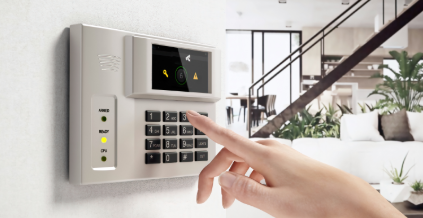
A reliable home security system is only as strong as its power source. If you’re dealing with constant beeping or warning signals, it’s likely time for a home alarm battery replacement in NZ. Many homeowners ask: Can I change a house alarm battery myself? and How do I stop my house alarm from beeping with a low battery? This guide answers those questions clearly and helps you take action safely.
Why Your Home Alarm Battery Matters
Your alarm system relies on a backup battery to keep working during power outages. Over time, this battery loses capacity, which can lead to:
- Annoying beeping sounds
- Warning lights on the control panel
- Reduced system reliability
- Complete failure during emergencies
In New Zealand homes, where security systems are often left running 24/7, batteries typically need replacing every 2–5 years.
Can I Change a House Alarm Battery Myself?
Yes, in most cases, you can replace your house alarm battery yourself—but it depends on your system type and your comfort level.
When DIY Replacement Is Safe
- You have access to the control panel
- The battery is easy to identify and remove
- You have the correct replacement battery
When You Should Be Careful
- Your system is monitored by a security company
- The alarm triggers when opened
- You’re unsure about wiring or connections
Before starting, always check your system manual and, if needed, notify your monitoring service to avoid false alarms.
How to Replace a Home Alarm Battery (Step-by-Step)
Replacing a home alarm battery is usually straightforward:
1. Locate the Control Panel
This is often in a cupboard, garage, or utility area.
2. Power Down the System
Disconnect the main power supply before opening the panel.
3. Open the Panel
Unscrew or unclip the cover to access the battery.
4. Remove the Old Battery
Carefully disconnect the terminals (usually red and black wires).
5. Install the New Battery
Connect the new battery with correct polarity.
6. Restore Power
Turn the system back on and check for warning messages.
How Do I Stop My House Alarm from Beeping with a Low Battery?
That persistent beeping is your system warning you of a problem. Here’s how to stop it:
Replace the Battery
This is the most effective solution. Once replaced, the beeping should stop after system reset.
Reset the Alarm Panel
Some systems require a manual reset to clear the warning.
Check Sensor Batteries
Don’t forget: door/window sensors and motion detectors may also have low batteries.
Temporary Silence (Not a Fix)
You may be able to silence the alarm temporarily, but the issue will return until the battery is replaced.
Choosing the Right Replacement Battery
When searching for a home alarm battery replacement in NZ, make sure to:
- Match voltage and capacity (e.g., 12V 7Ah is common)
- Choose high-quality, long-life batteries
- Ensure compatibility with your alarm brand
Using the wrong battery can damage your system or reduce performance.
Common Signs You Need a New Alarm Battery
Watch for these warning signs:
- Beeping every 30–60 seconds
- “Low Battery” message on display
- Alarm fails during power outage
- Battery older than 3 years
Ignoring these signs can leave your home unprotected.
A properly functioning alarm system is essential for home security. Whether you’re dealing with constant beeping or just doing routine maintenance, a timely home alarm battery replacement in NZ keeps your system reliable.
If you’re confident, replacing the battery yourself is quick and cost-effective. If not, professional help ensures everything is done safely and correctly.
Don’t ignore the warning signs—fix the issue early and keep your home protected at all times.