If you’re using WORX power tools or lawn equipment, understanding your Worx battery is key to getting the best performance and lifespan. Many users ask:
- How long does a Worx battery last?
- How do I know when my Worx battery is charged?
In this guide, we’ll answer these questions clearly and help you maximize your battery’s efficiency.
What Is a Worx Battery?
A Worx battery is a rechargeable lithium-ion battery designed for WORX tools, including lawn mowers, drills, leaf blowers, and chainsaws. Most models belong to the PowerShare platform, meaning one battery can be used across multiple devices.
Key Features:
- Lithium-ion technology (no memory effect)
- Interchangeable across WORX tools
- Available in different capacities (e.g., 2.0Ah, 4.0Ah, 6.0Ah)
How Long Does a Worx Battery Last?
The lifespan of a Worx battery depends on two factors: runtime per charge and overall battery lifespan.
1. Runtime Per Charge
A fully charged Worx battery typically lasts:
- 2.0Ah battery: 20–30 minutes (light use)
- 4.0Ah battery: 40–60 minutes
- 6.0Ah battery: 60–90 minutes or more
Actual runtime varies depending on:
- Tool type (mower vs drill)
- Workload intensity
- Weather conditions (cold reduces performance)
2. Overall Battery Lifespan
On average, a Worx battery lasts:
- 2–5 years or
- 300–1,000 charge cycles
Signs Your Battery Is Wearing Out:
- Shorter runtime than usual
- Longer charging time
- Battery overheating
- Tool losing power quickly
How Do I Know When My Worx Battery Is Charged?
Worx batteries and chargers are designed with LED indicators to show charging status.
Charger Light Indicators
Most Worx chargers use these signals:
- Red light ON → Battery is charging
- Green light ON → Fully charged
- Flashing → Battery error or overheating
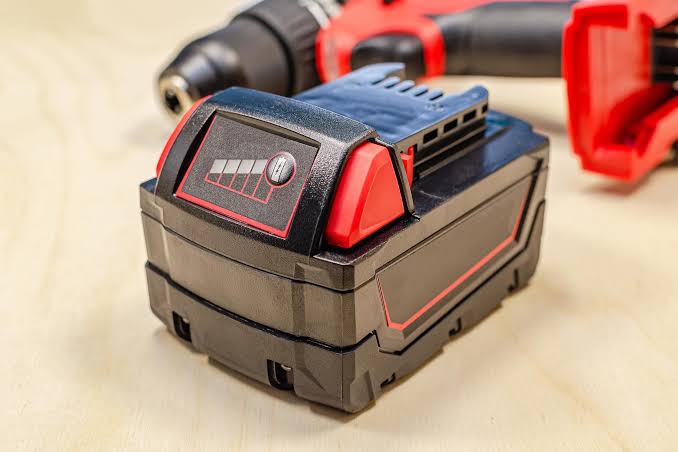
Battery Indicator Lights (on the battery itself)
Many Worx batteries have built-in LED indicators:
- Press the button on the battery
- Lights will display remaining charge level:
- 3 lights = Full or near full
- 2 lights = Medium
- 1 light = Low
Tips to Extend Your Worx Battery Life
To get the most out of your Worx battery:
Best Practices
- Avoid fully draining the battery every time
- Store in a cool, dry place (10°C–25°C recommended)
- Remove battery from tool when not in use
- Use only original Worx chargers
Avoid
- Overcharging overnight frequently
- Exposure to extreme heat or cold
- Using damaged or swollen batteries
When Should You Replace Your Worx Battery?
You should consider replacing your Worx battery if:
- Runtime drops significantly
- Charging becomes inconsistent
- The battery no longer holds a charge
Upgrading to a higher-capacity battery (e.g., 4.0Ah or 6.0Ah) can also improve performance and extend usage time.
Understanding your Worx battery helps you work more efficiently and avoid unexpected downtime.
- Most Worx batteries last 2–5 years
- Runtime depends on capacity and usage
- Charging status is easy to read via LED indicators
With proper care, you can significantly extend your battery life and keep your tools running at peak performance.