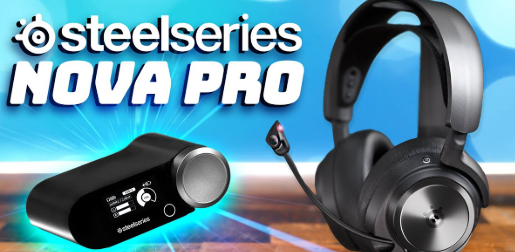
Is Your SteelSeries Arctis Nova Pro Battery Life Getting Worse?
If you’re using the SteelSeries Arctis Nova Pro on a daily basis, you may start noticing a frustrating issue: the battery doesn’t last as long as it used to.
At first, it might just be a small drop in performance—but over time, your Arctis Nova Pro battery may drain rapidly, require frequent charging, or even shut down unexpectedly.
So what’s really causing this problem?
Common Reasons Your NP-45 Battery Is Failing
1. Natural Battery Aging
Most rechargeable batteries, including the NP-45 battery, are based on lithium-ion technology. Over time, these batteries lose their ability to hold a full charge.
After hundreds of charge cycles, it’s completely normal for your SteelSeries Arctis Nova Pro battery to degrade.
2. Overcharging and Heat Exposure
Leaving your headset plugged in for long periods or using it in high-temperature environments can accelerate battery wear.
Heat is one of the biggest enemies of lithium batteries and can significantly shorten the lifespan of your Arctis Nova Pro battery.
3. High Power Consumption During Gaming
Modern gaming headsets like the SteelSeries Arctis Nova Pro support features such as active noise cancellation, wireless connectivity, and high-fidelity audio.
These features consume more power, which puts additional strain on the battery.
4. Battery Calibration Issues
Sometimes, the issue isn’t the battery itself but inaccurate power readings.
If your headset suddenly drops from 30% to 0%, your NP-45 battery may need recalibration.
How to Fix Arctis Nova Pro Battery Problems Try Battery Recalibration
Fully discharge your headset until it shuts off, then charge it to 100% without interruption. This can help reset battery readings.
Optimize Usage Habits
- Avoid extreme temperatures
- Don’t keep it plugged in overnight
- Turn off unused features like ANC when not needed
Replace the NP-45 Battery
If your battery life is significantly reduced, the most effective solution is to replace it.
A high-quality NP-45 battery replacement for SteelSeries Arctis Nova Pro can restore your headset’s original performance and extend its lifespan.
What to Look for in a Replacement NP-45 Battery
When choosing a replacement, consider the following:
- Capacity (e.g., 700mAh or higher for longer use)
- Stable voltage (typically 3.7V)
- Safety protections (overcharge, overheat, short circuit)
- Compatibility with Arctis Nova Pro Wireless
Choosing a reliable battery ensures consistent performance and safety.
Battery degradation is unavoidable, but it doesn’t mean you need to replace your entire headset.
With proper care—or by upgrading to a new NP-45 battery—your SteelSeries Arctis Nova Pro can continue delivering premium audio performance for years to come.
If you’re experiencing fast drain, charging issues, or unstable power, it might be time to take action and bring your headset back to life.