1. Watch Battery Replacement: When Should You Replace Your Watch Battery?
Watch batteries typically last between 1 and 3 years, depending on the type of watch and how often it is used. Traditional analog watches with quartz movements tend to have longer battery life, while digital and smartwatches may need more frequent replacements due to their advanced features.
If your watch stops ticking, or if the hands are moving erratically, it might be time for a battery replacement. For digital watches, the screen may fade, or the watch may stop working entirely. In such cases, a professional replacement is required to restore the watch’s functionality.
2. Apple Watch Battery Replacement: How to Extend Your Apple Watch’s Battery Life
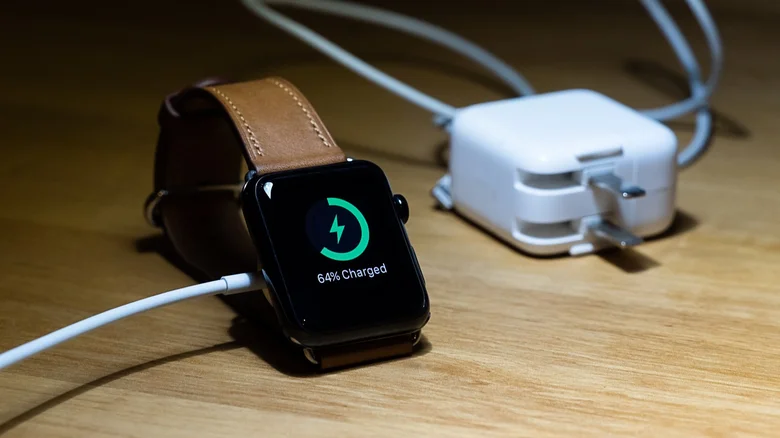
Apple Watch batteries are designed to last around 18-24 hours with normal use. However, as your watch ages, its battery may lose capacity and require a replacement. If you notice your Apple Watch battery is draining too quickly or not holding a charge, it might be time to get it replaced.
You can get your Apple Watch battery replaced at an Apple Store or an authorized service provider. The cost of the replacement varies depending on the model of the watch and whether it is covered under warranty or AppleCare.
3. Watch Battery Replacement in Wellington: Where to Go
In Wellington, New Zealand, there are several places to get your watch battery replaced. You can visit local watch repair shops, jewelry stores, or even some department stores that offer watch battery replacement services. For Apple Watch batteries specifically, it’s recommended to go to an Apple Store in Wellington or an authorized Apple service provider.
It’s always a good idea to check with the service center in advance to ensure they can replace your specific type of watch or Apple Watch model.
4. How to Maximize Your Apple Watch Battery Life
To ensure your Apple Watch battery lasts as long as possible, here are a few tips:
- Reduce screen brightness: Lowering your Apple Watch’s screen brightness can have a significant impact on battery life.
- Turn off unnecessary notifications: Excessive notifications can drain your battery. Consider disabling non-essential ones.
- Use Power Reserve Mode: When your battery is running low, switch to Power Reserve mode to conserve energy.
- Limit background app refresh: Disable the automatic refresh of apps running in the background to save power.
- Keep your watch updated: Always keep your Apple Watch updated to the latest software, as Apple frequently releases updates that improve battery performance.
By following these tips, you can extend the battery life of your Apple Watch and get more usage out of each charge.
5. Watch Battery Replacement in Christchurch: Reliable Services
In Christchurch, New Zealand, if your watch needs a battery replacement, you can visit a range of reputable repair services. Many local watch repair shops, as well as jewelry stores, offer battery replacement services for various types of watches. For Apple Watch battery replacements, you can visit an Apple Store in Christchurch or a certified Apple service provider.
It’s always best to check with the provider beforehand to ensure they can replace your watch’s battery, especially for specialized or luxury timepieces.
6. Common Reasons Why Your Apple Watch Battery Dies Quickly
There are several factors that can cause your Apple Watch battery to drain faster than expected:
- Frequent app usage: Apps that constantly update or use GPS can drain the battery rapidly.
- High screen brightness: Keeping your Apple Watch’s display at full brightness can lead to faster battery drain.
- Many active notifications: Constant notifications, especially from third-party apps, can reduce battery life.
- Unnecessary background processes: Some apps run processes in the background that consume power.
If your Apple Watch is losing battery power quickly despite your efforts to manage these factors, it might be time for a battery replacement or a visit to a professional service provider.
For more information on Apple Watch battery replacement and tips for extending battery life, visit the Apple Support page.