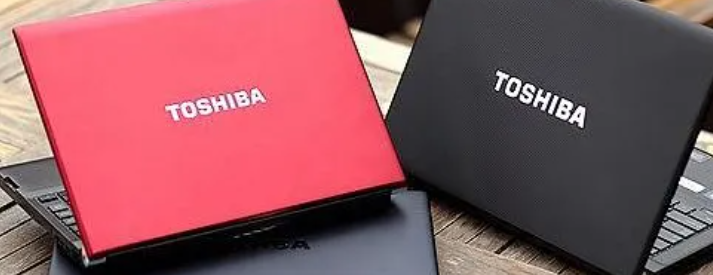
A reliable Toshiba laptop battery is essential for keeping your laptop portable and productive. However, many users experience issues such as a blinking battery light or difficulty removing the battery from their device. If you are searching for answers to questions like “why is my Toshiba laptop battery light blinking” or “how to remove battery from Toshiba laptop,” this guide will help you understand the most common problems and solutions.
Understanding the Toshiba Laptop Battery
The Toshiba laptop battery powers your laptop when it is not connected to an AC adapter. Like all rechargeable batteries, it gradually loses capacity over time due to regular charging cycles. After several years of use, you may notice reduced battery life, charging problems, or warning indicators such as blinking battery lights.
Regular maintenance and proper charging habits can help extend the life of your laptop battery and ensure stable performance.
Why Is My Toshiba Laptop Battery Light Blinking?
One of the most common questions users ask is: why is my Toshiba laptop battery light blinking? This indicator usually signals a charging issue or battery-related warning.
Here are several possible reasons:
Low battery level
A blinking light may simply indicate that the battery level is very low and needs to be charged.
Battery charging problem
If the battery light blinks continuously while charging, it may indicate that the battery is not charging correctly due to a damaged battery pack or a faulty charger.
Battery overheating
Laptops include safety systems that warn users if the battery temperature becomes too high.
Battery nearing end of life
Older batteries often trigger warning lights because they can no longer hold a stable charge.
Hardware or power management issue
Sometimes the blinking light can be caused by BIOS settings, power management drivers, or a loose battery connection.
If the problem continues even after restarting the laptop or reconnecting the charger, replacing the battery may be necessary.
How to Remove Battery from Toshiba Laptop
Many users also search for instructions on how to remove battery from Toshiba laptop models. While the exact design may vary depending on the model, most Toshiba laptops follow a similar process.
Follow these general steps:
- Turn off the laptop completely
Shut down the device and disconnect the power adapter. - Flip the laptop over
Place the laptop on a flat and stable surface. - Locate the battery release latches
Most Toshiba laptops have one or two sliding locks that hold the battery in place. - Slide the battery lock to the unlock position
Hold the release latch while gently pulling the battery out. - Remove the battery carefully
Once released, the battery should slide out smoothly from the battery compartment.
If your laptop has a built-in internal battery, removing it may require opening the back cover with a screwdriver.
When Should You Replace a Toshiba Laptop Battery?
You may need to replace your Toshiba laptop battery if you notice the following signs:
- The laptop shuts down unexpectedly
- The battery drains very quickly
- The battery light keeps blinking even while charging
- The laptop only works when plugged in
- The battery is physically swollen or damaged
Replacing an old battery can significantly improve the usability and mobility of your laptop.
Tips to Extend Toshiba Laptop Battery Life
To keep your battery working efficiently for as long as possible, consider these tips:
- Avoid letting the battery drop to 0% frequently
- Keep the battery charge between 20% and 80% when possible
- Use the original charger or a compatible high-quality adapter
- Keep your laptop in a cool environment
- Update system drivers and BIOS regularly
These practices can help reduce battery wear and maintain better long-term performance.
A properly functioning Toshiba laptop battery is crucial for a smooth computing experience. If you notice issues such as a blinking indicator and wonder why is my Toshiba laptop battery light blinking, it may be related to charging problems, battery wear, or hardware warnings. Understanding how to remove battery from Toshiba laptop models can also help when replacing or troubleshooting the battery.