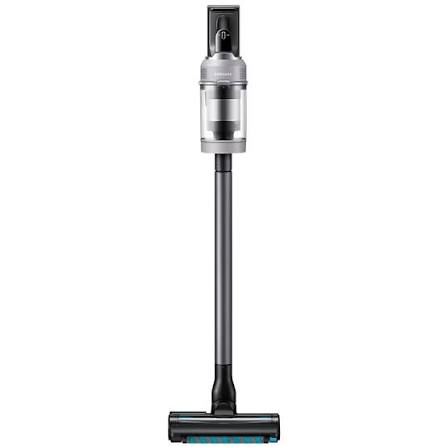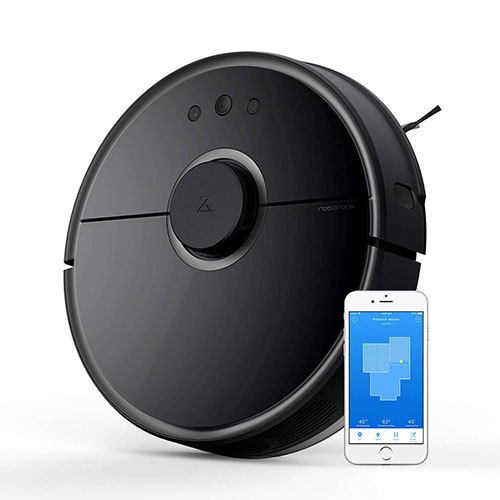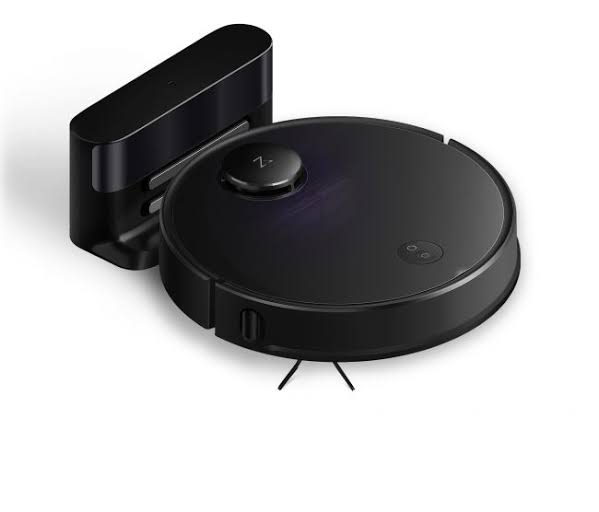
A Roborock vacuum cleaner is designed to handle everyday floor cleaning with minimal effort. Whether it is picking up dust in the living room, cleaning pet hair from carpets, or maintaining hard floors throughout the house, reliable battery performance is essential. However, after months or years of regular use, you may notice that your Roborock S4, S5, S6, or S7 no longer runs as long as it used to.
The vacuum may stop cleaning before finishing a scheduled cycle, return to its charging dock more frequently, or fail to charge properly. These problems can be related to battery aging, especially when the device has been used frequently over a long period.
If your Roborock vacuum is experiencing these issues, understanding the possible causes can help you decide whether the BRR-2P4S-5200D battery replacement is the right solution.
Why Does Your Roborock Battery Drain So Quickly?
One of the most common complaints from Roborock owners is reduced cleaning time. A vacuum that previously cleaned several rooms on one charge may now run for a much shorter period.
There are several possible reasons for this change.
First, rechargeable batteries gradually lose capacity through repeated charging and discharging. As the battery ages, it stores less energy, meaning the vacuum cannot operate for as long as it did when new.
Second, cleaning conditions can affect power consumption. Thick carpets, increased suction settings, pet hair, and accumulated dust can make the motor work harder. This naturally reduces the available cleaning time.
Third, temperature and charging habits may influence battery performance. Using or storing the vacuum in extremely hot or cold environments can affect battery efficiency.
If your Roborock S4, S5, S6, or S7 consistently loses power much faster than before, even under normal cleaning conditions, an aging battery may be responsible.
Why Is Your Roborock Vacuum Not Charging?
Another frustrating issue is when the Roborock vacuum does not charge properly.
You may notice that the battery percentage stays unchanged, the vacuum repeatedly disconnects from the charging dock, or the device cannot reach a full charge.
Before replacing the battery, check the charging system. Dust or debris on the charging contacts can interfere with the connection. Make sure the charging dock is connected to a working power outlet and that the vacuum is positioned correctly.
A restart may also help resolve temporary software or charging errors.
However, if the charging contacts are clean and the power supply is working normally, but the battery still cannot hold a charge, battery deterioration may be the cause.
A replacement battery can help restore normal charging and operating performance when the original battery has reached the end of its useful service life.
How to Tell If Your Roborock Battery Is Damaged
Not every cleaning problem means the battery needs replacing. Before purchasing a new battery, look for several warning signs.
1. Significantly shorter cleaning time
If your Roborock vacuum stops after a short cleaning session despite being fully charged, its battery capacity may have decreased.
2. Unexpected shutdowns
A vacuum that suddenly powers off while cleaning, particularly when the battery indicator still shows some remaining charge, may have an aging or unstable battery.
3. Charging problems
If the vacuum takes unusually long to charge, cannot reach a full charge, or loses power shortly after leaving the dock, the battery may no longer perform properly.
4. Frequent returns to the charging dock
When the vacuum repeatedly returns to recharge during cleaning sessions that it previously completed without interruption, reduced battery capacity could be responsible.
5. Battery performance does not improve after basic troubleshooting
If cleaning the charging contacts, checking the dock, and restarting the vacuum do not solve the problem, further battery inspection may be necessary.
If the battery becomes swollen, unusually hot, or shows physical damage, stop using and charging the vacuum. Do not attempt to open or repair a damaged lithium-ion battery yourself.
BRR-2P4S-5200D 5200mAh Replacement Battery for Roborock
When the original battery can no longer provide sufficient power, replacing it is a practical way to get your Roborock vacuum working again.
The BRR-2P4S-5200D replacement battery has a capacity of 5200mAh and is designed for compatible Xiaomi Roborock vacuum cleaner models.
It is suitable for users who are experiencing reduced runtime, frequent charging interruptions, or battery-related shutdowns.
Before ordering, check the battery part number on your existing battery and compare the connector, dimensions, voltage, and installation specifications. Compatibility should always be confirmed for the exact vacuum model and battery version.
Compatible Roborock Models and Everyday Applications
The BRR-2P4S-5200D battery is listed for the following Roborock models:
- Xiaomi Roborock S4
- Xiaomi Roborock S5
- Xiaomi Roborock S6
- Xiaomi Roborock S7
- Xiaomi Roborock S50
- Xiaomi Roborock S51
- Xiaomi Roborock S52
- Xiaomi Roborock S55
These robot vacuums are commonly used for everyday household cleaning.
In apartments, a reliable battery allows the vacuum to clean multiple rooms without frequent interruptions. In larger homes, sufficient battery capacity is especially important when cleaning bedrooms, living rooms, kitchens, and hallways in one scheduled session.
For households with pets, consistent battery performance helps maintain regular cleaning routines by allowing the vacuum to collect hair and dust from floors and carpets.
It is also useful for busy households where scheduled cleaning is preferred. A dependable battery helps the robot vacuum complete its cleaning tasks with fewer unexpected interruptions.
Always verify the exact battery compatibility before installation, particularly when different production versions of the same vacuum model are available.
How to Maintain Your Replacement Battery
After installing a replacement battery, a few basic habits can help maintain stable performance.
Keep the charging contacts clean and make sure the vacuum is correctly positioned on its dock. Avoid exposing the device to extreme temperatures, and regularly clean the brushes and filters to prevent unnecessary motor workload.
Choose an appropriate suction level for different floor types instead of using maximum power for every cleaning session.
If the vacuum continues to show charging errors or abnormal runtime after replacement, inspect the charging dock and other electrical connections to identify possible additional problems.
Frequently Asked Questions
Q1: Why does my Roborock S7 battery drain so quickly?
Repeated charging cycles gradually reduce battery capacity. Heavy cleaning workloads, carpet settings, and an aging battery can all contribute to shorter operating time.
Q2: Why won’t my Roborock S5 charge?
Check the charging dock, power outlet, and charging contacts first. If these components work correctly but the battery still cannot charge or retain power, the battery may need replacement.
Q3: How do I know when my Roborock battery needs replacing?
Common signs include significantly reduced runtime, unexpected shutdowns, charging difficulties, and frequent returns to the charging dock. Battery inspection can help confirm the problem.
Q4: Can I use a 5200mAh replacement battery for Roborock S4, S5, S6, and S7?
The BRR-2P4S-5200D 5200mAh battery is listed for these model families. However, always verify the original battery part number, connector, voltage, and physical specifications before purchasing.
Q5: Will replacing the battery fix all Roborock charging problems?
Not necessarily. A replacement can solve problems caused by battery deterioration, but a faulty charging dock, damaged contacts, or internal electrical issues may require separate troubleshooting.
A Roborock vacuum that runs out of power quickly or refuses to charge can make everyday cleaning less convenient. If basic charging checks do not resolve the issue and the original battery shows signs of deterioration, replacing it may be the next practical step.
The BRR-2P4S-5200D 5200mAh replacement battery is listed for Xiaomi Roborock S4, S5, S6, S7, S50, S51, S52, and S55 models. Confirm the battery specifications and compatibility before ordering to help restore reliable cleaning performance.