The JBL Xtreme 2 is designed for music on the go, whether you are using it at home, taking it outdoors, or bringing it to a gathering with friends. However, if the speaker suddenly runs out of power faster than usual or refuses to charge, it can interrupt your plans. While battery wear is one possible cause, a faulty or incompatible charger can also contribute to charging problems.
If your JBL Xtreme 2 is experiencing power issues, checking the charger is a useful first step before deciding whether the internal battery needs replacement.
Common Signs of JBL Xtreme 2 Charging Problems
Several symptoms may indicate a problem with the speaker’s charging system.
The battery drains faster than usual
If your JBL Xtreme 2 no longer plays music for as long as it used to, the internal battery may have lost capacity over time. High volume, heavy bass, frequent outdoor use, and repeated charging cycles can also affect operating time. However, if the speaker does not charge fully, the charger or charging connection may be part of the problem.
The speaker will not charge
When the JBL Xtreme 2 does not respond after being connected to a power adapter, check the wall outlet, power cable, adapter, and charging port. A loose connection or damaged charger may prevent the speaker from receiving power.
Charging takes longer than expected
An incompatible adapter, unstable power connection, or deteriorated battery may cause unusual charging behavior. If charging repeatedly stops or the speaker does not reach a full charge, inspect the charging equipment before assuming the battery has failed.
The speaker shuts down unexpectedly
If the speaker switches off even when the battery indicator suggests that power remains, the battery may be aging or unable to deliver stable power. Charging-system faults can produce similar symptoms, so further checks may be necessary.
Why Does the JBL Xtreme 2 Have Charging or Battery Problems?
There are several possible reasons for these issues.
First, rechargeable batteries gradually lose capacity as they age. A speaker that once played music for hours may eventually require more frequent charging.
Second, a damaged or unsuitable power adapter may not supply the electrical output required by the speaker. Using the correct replacement charger is important for reliable charging.
Third, dust, moisture, corrosion, or physical damage around the charging connection may interfere with power delivery. The speaker’s charging port and cable should be inspected for visible damage.
Finally, high-volume playback, heavy use, and unfavorable storage conditions may affect battery performance over time.
How to Tell Whether the JBL Xtreme 2 Battery Is Damaged
Before purchasing a replacement battery, check whether the problem is actually related to the battery.
- Test another wall outlet. Confirm that the outlet supplies power and that the connection is secure.
- Inspect the charger and cable. Look for damaged insulation, bent connectors, or loose connections.
- Check the charging response. Connect the speaker to a compatible, correctly rated power adapter and observe whether it responds normally.
- Monitor battery performance. If the speaker charges normally but its operating time remains significantly shorter than before, battery degradation becomes more likely.
- Watch for repeated shutdowns. Unexpected power loss after charging may indicate a weakened battery or another internal fault.
If the speaker still will not charge after checking the power source and charger, professional inspection may help identify whether the issue comes from the battery, charging port, or internal charging circuitry.
Do not continue using a battery or adapter that is swollen, unusually hot, leaking, or visibly damaged.
Choosing a Replacement Charger for JBL Xtreme 2
If the original adapter is missing, damaged, or no longer working properly, choosing a compatible replacement charger can help restore normal charging.
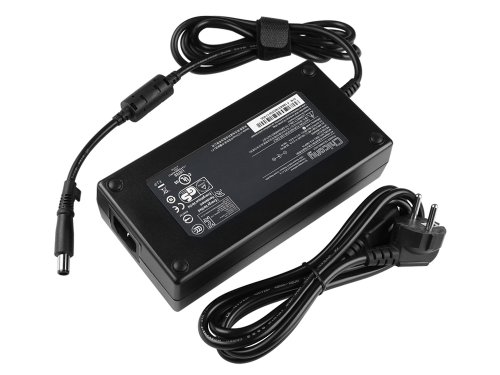
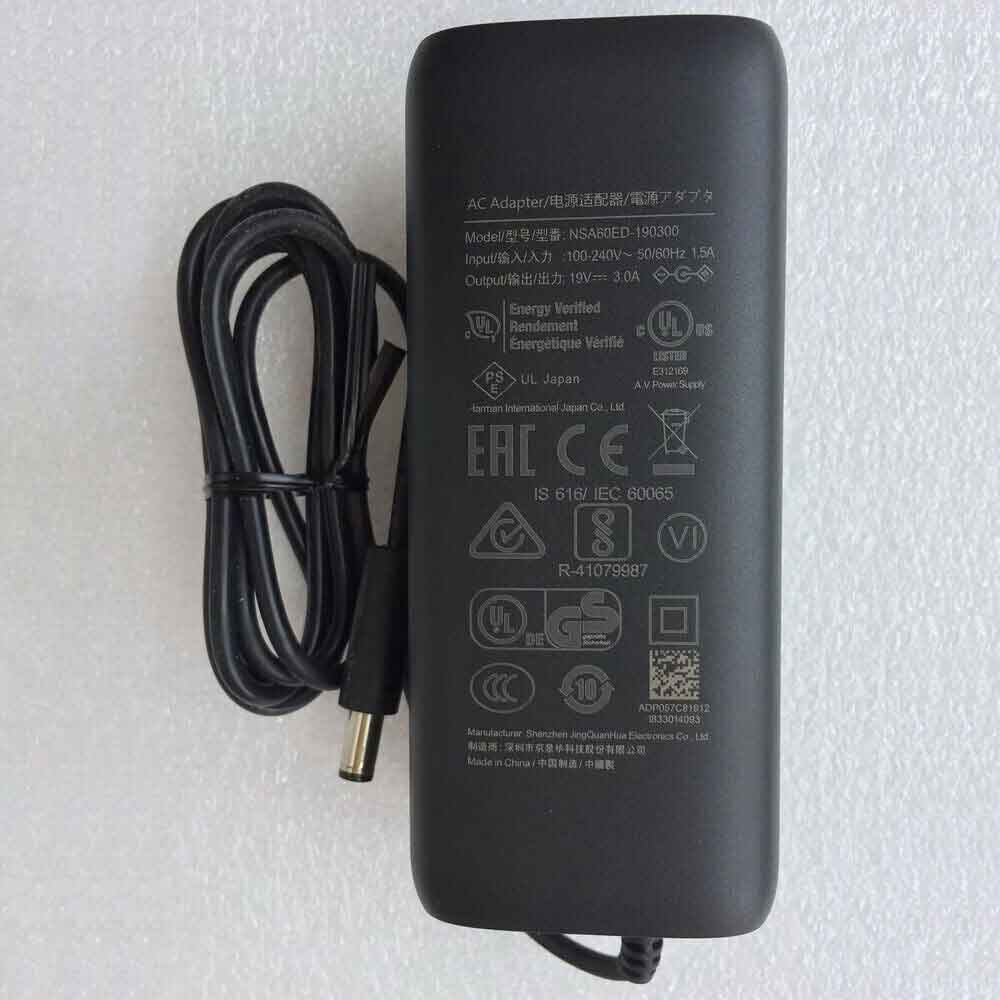
The 57W NSA60ED-190300 charger is listed as a replacement power adapter for the JBL Xtreme 2 speaker, with the model reference NDT19V-3C-DC.
Before ordering, verify the required output voltage, current, connector dimensions, polarity, and power specifications against the original adapter or the speaker’s labeling. The product name alone is not enough to establish compatibility, and the connector must fit correctly.
A suitable replacement power adapter can help resolve problems caused by a faulty charger. However, if the internal battery has significantly degraded, replacing the charger alone will not restore the battery’s original capacity.
When Is a Replacement Charger Useful?
A replacement charger may be useful in several everyday situations.
At home: If your JBL Xtreme 2 no longer charges with its existing adapter, a compatible replacement can help restore convenient daily use.
During outdoor activities: When preparing the speaker for a picnic, camping trip, or backyard gathering, a working charger helps ensure that the speaker can be charged before you leave.
For parties and social events: Reliable charging is important when the speaker is used frequently for music playback. Checking the adapter before an event can help prevent avoidable power interruptions.
As a replacement for a damaged adapter: If the original charger has a damaged cable, loose connector, or inconsistent power output, replacing it with a correctly specified adapter may be more practical than continuing to use faulty equipment.
Frequently Asked Questions
Can a faulty charger make the JBL Xtreme 2 battery drain quickly?
A faulty charger may prevent the speaker from reaching a full charge, making it appear that the battery drains too quickly. If the speaker charges fully but still has a much shorter playback time, the battery itself may have deteriorated.
Will replacing the charger fix a JBL Xtreme 2 that will not charge?
It may fix the problem if the existing adapter is faulty or incompatible. If the problem is caused by a damaged charging port, internal circuitry, or worn-out battery, additional repairs may be required.
Is the 57W NSA60ED-190300 charger compatible with the JBL Xtreme 2?
It is listed as a replacement charger for the JBL Xtreme 2 speaker under the reference NDT19V-3C-DC. Always verify the electrical output and connector specifications before purchasing.
How can I tell whether I need a new charger or a new battery?
If the speaker does not charge, start by checking the outlet, cable, adapter, and charging connection. If it charges normally but cannot maintain playback time, battery degradation is more likely. These checks provide useful clues, but they cannot always identify the exact faulty component.
Can I keep using a charger that gets unusually hot?
Stop using an adapter that becomes excessively hot, smells unusual, or shows visible damage. Disconnect it safely and replace it with a properly specified charger.
When your JBL Xtreme 2 battery drains quickly or the speaker refuses to charge, do not assume that the battery is always the cause. Checking the power source, charging connection, and adapter can help narrow down the problem.
The 57W NSA60ED-190300 replacement charger for JBL Xtreme 2, referenced as NDT19V-3C-DC, is an option to consider when the original power adapter is faulty or needs replacing. Confirm the specifications and connector compatibility before ordering to help ensure reliable charging and continued enjoyment of your speaker.