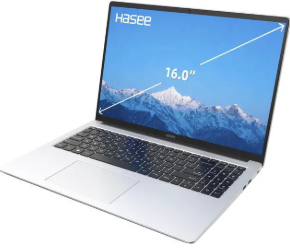
A reliable battery is essential for getting the most out of a Hasee laptop. Whether you use your laptop for work, study, entertainment, or everyday browsing, an aging battery can quickly become a problem. If your Hasee X6 or R6 battery life is getting shorter, the battery refuses to charge, or the laptop suddenly shuts down, it may be time to consider a replacement.
The 4670mAh AEC5140117-4S1P battery replacement for Hasee X6 R6 is designed as a replacement option for compatible Hasee laptop models. This guide explains common battery problems, how to determine whether the battery is damaged, and when a replacement battery can be useful.
Why Is the Hasee X6 R6 Battery Life Getting Shorter?
One of the most common signs of battery aging is significantly reduced battery life.
A new or healthy laptop battery should provide reasonable operating time away from a power adapter. However, lithium-ion batteries gradually lose capacity after repeated charging and discharging cycles. As the battery ages, the actual capacity can become much lower than its original specification.
You may notice the following symptoms:
- The laptop battery drains much faster than before.
- Battery percentage drops rapidly during normal use.
- The laptop switches off unexpectedly even when the battery indicator shows charge remaining.
- You need to keep the AC adapter connected most of the time.
- The battery percentage changes unusually quickly.
- The laptop cannot maintain power during demanding tasks.
For users experiencing these problems with a compatible Hasee X6 or R6 laptop, an AEC5140117-4S1P battery replacement may help restore more convenient mobile operation.
Hasee R6 Battery Not Charging: What Should You Check?
Another common problem is that the Hasee R6 battery does not charge.
Before immediately replacing the battery, check several basic factors.
1. Check the Power Adapter
Make sure the AC adapter is properly connected to both the laptop and the power outlet. If possible, check whether the adapter works correctly with the laptop.
2. Check the Charging Connection
A loose connection, damaged charging port, or poor contact can prevent the battery from charging normally.
3. Restart the Laptop
Sometimes the operating system or battery management system may temporarily display incorrect battery information. Restarting the laptop can help determine whether the problem is software-related.
4. Check the Battery Status
Look at the battery icon or battery settings in the operating system. If the laptop repeatedly reports that the battery is not detected, is not charging, or has an abnormal capacity, the battery may require further inspection.
5. Consider Battery Age
If the battery has been used for a long time and has simultaneously developed short battery life and charging problems, natural battery degradation is a likely explanation.
How to Tell If the Hasee X6 Battery Is Damaged
Knowing whether the problem comes from the battery or another component can save time and money.
Here are several common warning signs of a damaged or heavily degraded battery:
Very Short Runtime
If the laptop only works for a short period after a full charge, the battery’s usable capacity may have decreased significantly.
Unexpected Shutdowns
A laptop that suddenly shuts down when the battery indicator still shows a relatively high percentage can indicate that the battery can no longer maintain stable voltage under load.
Battery Cannot Be Fully Charged
If the battery remains at a particular percentage for an unusually long time or repeatedly stops charging before reaching full capacity, the battery may be deteriorating.
Abnormal Battery Percentage
A battery percentage that jumps from one level to another unusually quickly can indicate inaccurate battery readings or battery degradation.
Physical Changes
If the battery becomes swollen, deformed, unusually hot, or shows other physical damage, stop using the battery and have it inspected or replaced. Do not attempt to puncture, open, or repair a swollen lithium-ion battery.
AEC5140117-4S1P 4670mAh Battery Replacement
The AEC5140117-4S1P 4670mAh battery provides a replacement option for compatible Hasee X6 and R6 laptops.
When selecting a replacement laptop battery, capacity is only one factor to consider. Always check the battery model number, voltage, connector, physical dimensions, and laptop compatibility before purchasing.
The following information should be compared with your original battery:
- Battery model: AEC5140117-4S1P
- Capacity: 4670mAh
- Battery type: Rechargeable lithium-ion battery
- Compatible series: Hasee X6 / R6, depending on the exact laptop configuration
- Purpose: Replacement for an aging or defective compatible battery
Because laptop configurations can vary, users should verify the original battery label and laptop model before installation.
Where Can a Hasee X6 R6 Replacement Battery Be Used?
A replacement battery can be useful in many everyday situations.
Office Work
For documents, spreadsheets, email, web browsing, and other office tasks, a healthy battery allows you to work away from a wall outlet more conveniently.
Studying
Students can use a replacement battery for online classes, research, note-taking, and document editing without constantly searching for a power socket.
Home Entertainment
A healthy battery makes it easier to watch videos, browse websites, listen to music, or use other lightweight applications around the home.
Mobile Work
If you frequently move between meeting rooms, classrooms, libraries, cafés, or different workspaces, replacing an aging battery can make the laptop more convenient to carry and use.
Backup Power
Even when the laptop is normally used at a desk, a functional battery provides backup power during short power interruptions and allows you to save your work safely.
How to Extend the Life of a Replacement Laptop Battery
After installing a new Hasee X6 R6 battery replacement, good charging habits can help maintain battery performance.
Avoid exposing the laptop to excessive heat for long periods. High temperatures can accelerate battery aging. Keep the laptop’s ventilation areas clear and avoid using it on surfaces that block airflow.
It is also useful to avoid repeatedly allowing the battery to reach a completely empty state during normal daily use. For everyday work, moderate charging and discharging is generally more practical than constantly running the battery from full to empty.
If the laptop will not be used for an extended period, store it in a cool, dry environment and follow the battery manufacturer’s storage recommendations.
A short battery runtime, charging failure, unexpected shutdowns, and abnormal battery readings are common signs that an aging laptop battery may need attention. For compatible Hasee X6 and R6 laptops, the 4670mAh AEC5140117-4S1P battery replacement can be an option when the original battery has reached the end of its useful service life.
Before purchasing, always confirm the AEC5140117-4S1P model number, voltage, connector, dimensions, and compatibility with your original battery and laptop configuration.
With the right replacement battery and proper daily care, your Hasee laptop can be more convenient for office work, study, entertainment, and mobile use.