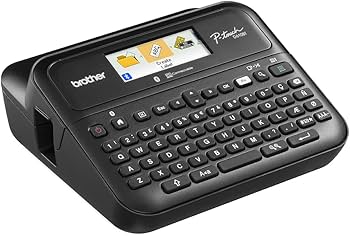
Portable Brother printers are widely used in logistics, retail, warehousing, healthcare, and field service. A reliable battery is essential for uninterrupted printing. If your Brother printer is experiencing short battery life or charging problems, replacing the battery with a 3030mAh PA-BT-010 Battery Replacement for Brother PA-BT-010 can restore its performance and improve productivity.
Signs Your Brother PA-BT-010 Battery Needs Replacement
Like all rechargeable lithium-ion batteries, the PA-BT-010 gradually loses capacity over time. Here are some common warning signs:
- Battery drains much faster than before.
- Printer shuts down unexpectedly during printing.
- Battery percentage drops rapidly.
- Frequent charging is required.
- Printer only works when connected to external power.
- Battery becomes unusually hot during use or charging.
If you notice several of these symptoms, the battery has likely reached the end of its service life.
Why Does the Battery Runtime Become Shorter?
Battery aging is a natural process. After hundreds of charging cycles, lithium-ion cells gradually lose their ability to store energy.
Other factors that accelerate battery wear include:
- Frequent full discharge cycles
- Long-term exposure to high temperatures
- Using incompatible chargers
- Leaving the battery fully discharged for extended periods
- Heavy daily printing workloads
Replacing the battery is often the most cost-effective way to restore your printer’s portability.
Why Is My Brother PA-BT-010 Battery Not Charging?
Charging problems don’t always mean the battery has failed. Before replacing it, check the following:
1. Inspect the Charger
Ensure the original charger or a compatible power adapter is being used.
2. Clean the Battery Contacts
Dust or oxidation on the battery terminals may interrupt charging.
3. Restart the Printer
Power off the printer, remove the battery for several minutes, reinstall it, and try charging again.
4. Check for Battery Overheating
Most lithium-ion batteries include protection circuits that temporarily stop charging when temperatures become too high.
5. Battery Has Reached End of Life
If the battery still refuses to charge after troubleshooting, replacing it is usually the best solution.
How to Tell If the Battery Is Damaged
A damaged battery may present one or more of these symptoms:
- Battery won’t hold a charge.
- Charging stops after only a few minutes.
- Battery level jumps unexpectedly.
- Printer powers off despite showing remaining battery.
- Battery casing is swollen or deformed.
- Excessive heat during charging or operation.
- Physical damage or leakage.
If swelling or leakage is observed, discontinue use immediately and replace the battery safely.
Benefits of the 3030mAh PA-BT-010 Replacement Battery
The 3030mAh PA-BT-010 Battery Replacement for Brother PA-BT-010 is designed to provide dependable mobile printing performance.
Key features include:
- High-capacity 3030mAh lithium-ion cells
- Stable voltage output
- Reliable long-lasting runtime
- Integrated protection against overcharging, over-discharging, over-current, and short circuits
- Easy installation
- Compatible with Brother devices using the PA-BT-010 battery
Typical Usage Scenarios
A dependable replacement battery is ideal for professionals who need portable printing throughout the day.
Common applications include:
- Warehouse inventory management
- Retail price label printing
- Logistics and shipping labels
- Field service documentation
- Healthcare patient labeling
- Mobile sales receipts
- Transportation and delivery operations
- Manufacturing production labels
With a fully functional battery, your printer remains ready wherever work takes you.
Tips to Extend Battery Life
To maximize the lifespan of your new battery:
- Avoid completely draining the battery before recharging.
- Store the battery in a cool, dry environment.
- Use compatible charging equipment.
- Recharge the battery every few months during long-term storage.
- Keep battery contacts clean.
- Avoid exposing the battery to extreme temperatures.
Proper maintenance can significantly increase the battery’s service life.
If your Brother printer suffers from short battery life, charging issues, or unexpected shutdowns, replacing the old battery with a 3030mAh PA-BT-010 Battery Replacement for Brother PA-BT-010 is an effective solution. A high-quality replacement battery restores portability, improves productivity, and ensures reliable performance for demanding mobile printing tasks.
Whether you work in logistics, retail, healthcare, or field service, investing in a dependable replacement battery helps keep your Brother printer operating efficiently throughout the workday.