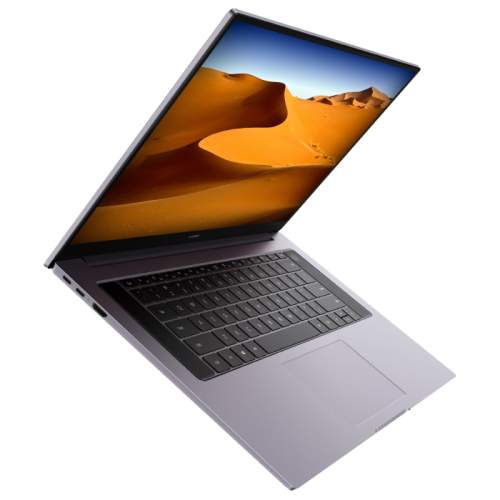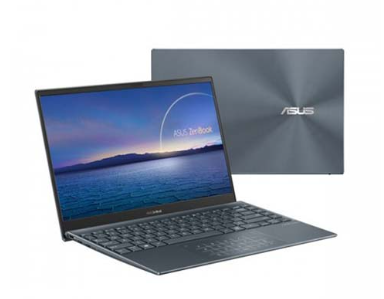
A reliable battery is essential for maintaining productivity, whether you’re working remotely, attending classes, or traveling. If your Asus ExpertBook B1, B1400CEAE, B1500CEAE, L1, or L1400CDA no longer provides the battery life it once did, replacing it with a compatible 3640mAh B31N1915 battery can restore performance and mobility.
This guide explains common battery issues, how to identify battery failure, and the best usage scenarios for a replacement battery.
Why Does Laptop Battery Life Become Shorter?
Laptop batteries naturally degrade over time. After hundreds of charging cycles, their ability to store energy gradually decreases.
Common causes of short battery runtime include:
- Battery aging and capacity loss
- Frequent full discharge cycles
- High operating temperatures
- Running power-hungry applications continuously
- Keeping the laptop plugged in for extended periods
- Improper charging habits
If your Asus laptop only lasts a fraction of its original runtime, the battery may be approaching the end of its service life.
What to Do When the Battery Is Not Charging
A battery that refuses to charge can significantly impact productivity. Before replacing the battery, perform the following checks:
Check the Power Adapter
Ensure the charger is working correctly and supplying sufficient power. A faulty adapter may prevent the battery from charging.
Inspect the Charging Port
Dust, debris, or physical damage inside the charging port can interrupt power delivery.
Restart the Laptop
Occasionally, power management software or system errors can affect charging performance. Restarting the device may resolve temporary issues.
Update BIOS and Drivers
Outdated firmware or battery management drivers can sometimes cause charging problems.
Test with Another Charger
If possible, use a compatible charger to determine whether the issue originates from the battery or the power adapter.
If these steps do not solve the problem, replacing the battery may be necessary.
How to Determine Whether the Battery Is Damaged
Recognizing battery failure early can help prevent unexpected shutdowns and data loss.
Rapid Battery Drain
The battery percentage drops quickly even during light tasks such as browsing or document editing.
Failure to Hold a Charge
The battery charges normally but loses power shortly after disconnecting from the charger.
Unexpected Shutdowns
The laptop powers off suddenly despite showing remaining battery capacity.
Battery Swelling
A swollen battery may cause the keyboard, touchpad, or bottom cover to bulge. This is a serious safety concern and requires immediate replacement.
Overheating During Charging
Excessive heat during charging can indicate internal battery deterioration.
Battery Health Warnings
Operating systems may display battery replacement notifications or significantly reduced battery health percentages.
Ideal Usage Scenarios for the B31N1915 Replacement Battery
The 3640mAh B31N1915 replacement battery is suitable for various daily and professional applications:
Business Professionals
Maintain productivity during meetings, presentations, and business travel without constantly searching for power outlets.
Students
Support note-taking, online learning, and research sessions throughout the day.
Remote Workers
Provide dependable battery performance for home offices, coworking spaces, and mobile work environments.
Frequent Travelers
Enjoy reliable power while commuting, flying, or working on the go.
Everyday Home Users
Browse the web, stream content, manage personal files, and complete daily tasks with confidence.
Tips to Extend Battery Lifespan
To maximize the life of your new B31N1915 battery:
- Avoid exposing the laptop to extreme temperatures
- Keep battery charge levels between 20% and 80% when possible
- Use the original or a high-quality compatible charger
- Reduce screen brightness when appropriate
- Disconnect unnecessary peripherals
- Perform periodic battery calibration if recommended by the manufacturer
These simple habits can help maintain battery capacity and improve long-term performance.
The 3640mAh B31N1915 Battery Replacement is a practical solution for Asus ExpertBook B1, B1400CEAE, B1500CEAE, L1, and L1400CDA users experiencing short battery life, charging problems, or battery degradation. By recognizing the warning signs of battery failure and replacing the battery when necessary, you can restore portability, improve productivity, and enjoy a more reliable computing experience.