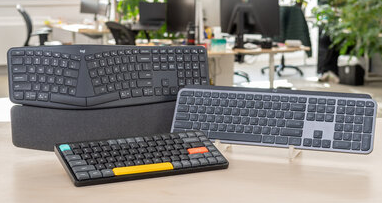
Wireless keyboards such as the Logitech K800 and MX Keys are designed for productivity and convenience. However, after years of daily use, the built-in battery may begin to lose capacity, causing shorter runtime and charging issues. If your keyboard no longer holds a charge as it once did, a 1500mAh 802085 replacement battery may be the ideal solution.
Common Signs of a Failing Logitech Keyboard Battery
Battery degradation is a natural process for all rechargeable lithium batteries. The following symptoms often indicate that your Logitech K800 or MX Keys battery needs replacement:
- Battery drains unusually fast
- Keyboard shuts down unexpectedly
- Charging takes much longer than before
- Battery percentage fluctuates significantly
- Keyboard only works while connected to a charging cable
- Reduced operating time compared to when the device was new
If you experience one or more of these issues regularly, the battery may have reached the end of its service life.
Why Is My Logitech Keyboard Battery Draining So Quickly?
Several factors can shorten battery runtime:
1. Battery Aging
After hundreds of charging cycles, lithium-ion batteries gradually lose their ability to store energy.
2. Continuous Backlight Usage
The illuminated keys on the Logitech K800 consume additional power, especially at high brightness levels.
3. Frequent Charging Cycles
Repeated charging over several years accelerates battery wear.
4. Environmental Conditions
Exposure to excessive heat can permanently reduce battery capacity.
Replacing the battery with a new 1500mAh 802085 battery can restore the keyboard’s original operating performance.
What If the Battery Will Not Charge?
A battery that refuses to charge may result from several causes:
Check the Charging Cable
Damaged cables or connectors can interrupt charging.
Clean Charging Contacts
Dust and debris may prevent proper electrical contact.
Verify USB Power Source
Try a different USB port or charger.
Inspect Battery Condition
If the battery is old or swollen, replacement is recommended immediately.
Internal Battery Failure
Over time, battery cells can deteriorate and stop accepting a charge entirely.
A new 802085 replacement battery is often the most effective solution when charging issues persist.
How to Tell If Your 802085 Battery Is Damaged
Identifying battery failure early helps prevent further problems.
Look for these warning signs:
- Noticeably shorter battery life
- Device overheating during charging
- Battery swelling or deformation
- Random power loss
- Failure to reach full charge
- Battery percentage dropping rapidly
If any physical swelling is visible, discontinue use and replace the battery as soon as possible.
Typical Applications of the 1500mAh 802085 Battery
The 802085 rechargeable battery is commonly used in:
- Logitech K800 Wireless Illuminated Keyboard
- Logitech MX Keys Wireless Keyboard
- Logitech YR0073-compatible devices
- Other electronic products using compatible 802085 lithium batteries
Its compact design and reliable performance make it suitable for long-term wireless operation.
Benefits of Replacing Your Logitech Keyboard Battery
Installing a new replacement battery offers several advantages:
- Longer operating time between charges
- Improved charging efficiency
- More stable wireless performance
- Reduced risk of unexpected shutdowns
- Extended lifespan of the keyboard
Rather than replacing the entire keyboard, a battery replacement provides a cost-effective way to restore performance.
If your Logitech K800 or MX Keys keyboard suffers from short battery life, charging failures, overheating, or unexpected shutdowns, the battery may be the source of the problem. A high-quality 1500mAh 802085 replacement battery can help restore reliable performance and extend the life of your device. Regular charging habits and proper battery maintenance will also maximize long-term battery health.