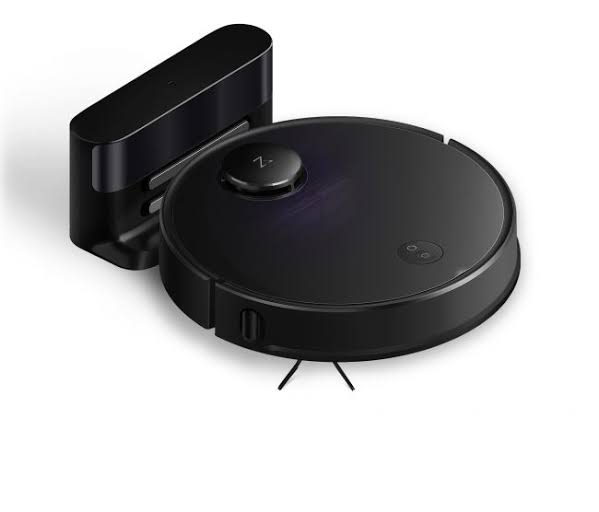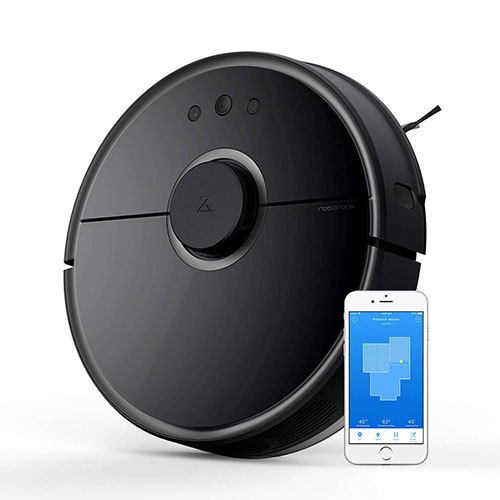
A Roborock robot vacuum is designed to clean floors automatically, saving time and effort in everyday household cleaning. However, if your vacuum starts returning to its charging dock before finishing a cleaning cycle, takes much longer to recharge, or suddenly stops working during operation, the battery may be losing its capacity.
For users of the Xiaomi Roborock S4, S5, S6, and S7 series, battery deterioration can affect daily cleaning performance. Replacing an aging battery with a compatible 5200mAh BRR-2P4S-5200D battery can help restore more consistent operation.
Why Does a Roborock Robot Vacuum Battery Drain So Quickly?
One of the most common problems with an aging robot vacuum is reduced runtime. A Roborock that previously cleaned several rooms on one charge may now stop after cleaning only part of the house.
Several factors can contribute to this problem:
- Battery aging: After repeated charging and discharging cycles, the battery gradually loses its ability to store energy.
- Frequent high-power cleaning: Maximum suction settings consume more power and reduce the operating time per charge.
- Large cleaning areas: Homes with multiple rooms, carpets, and obstacles require longer operating periods.
- Temperature conditions: Extremely hot or cold environments can affect battery performance.
- Charging interruptions: An unstable connection between the charging dock and the vacuum may prevent the battery from reaching a full charge.
If the vacuum consistently runs for a much shorter time despite normal cleaning settings, the battery may have reached the end of its useful service life.
What Should You Do If Your Roborock Battery Is Not Charging?
A Roborock vacuum that does not charge properly does not necessarily have a damaged battery. Before replacing any components, check the charging system.
First, make sure the charging dock is connected to a working power outlet. Inspect the metal charging contacts on both the dock and the robot vacuum. Dust, hair, or oxidation can interfere with electrical contact, so clean the surfaces carefully with a dry, soft cloth.
Next, reposition the robot vacuum on the charging dock and check whether the charging indicator responds normally. If possible, try another compatible power outlet.
If the vacuum still cannot charge, frequently disconnects from the charging dock, or loses power shortly after charging, the internal battery may be deteriorating.
When these problems continue after checking the charging connections and power supply, inspecting or replacing the battery is a reasonable next step.
How to Tell If Your Roborock Battery Needs Replacing
Before purchasing a replacement, look for several signs that indicate battery deterioration.
1. Cleaning time becomes noticeably shorter
If your Roborock S5 or S6 can no longer complete its usual cleaning routine on one charge, reduced battery capacity may be responsible.
2. The vacuum shuts down unexpectedly
A worn battery may cause sudden power loss, especially when the vacuum increases suction or encounters a more demanding cleaning area.
3. Charging takes longer than usual
If the robot vacuum needs significantly more time to charge but still provides limited runtime, the battery may no longer be operating efficiently.
4. Battery percentage drops rapidly
A battery indicator that decreases unusually quickly during normal cleaning can be another warning sign.
5. The vacuum repeatedly returns to its dock
When the robot frequently interrupts cleaning to recharge, even in a familiar environment, battery deterioration should be considered.
If you notice several of these symptoms, check the charging dock and cleaning conditions first. If the problem persists, consider replacing the battery.
Stop using the vacuum and arrange a battery inspection if you notice swelling, unusual heat, leakage, or a strange smell.
BRR-2P4S-5200D 5200mAh Battery Replacement for Roborock
The BRR-2P4S-5200D 5200mAh battery is designed as a replacement option for compatible Xiaomi Roborock robot vacuum models.
A suitable replacement battery can help address reduced runtime and frequent interruptions caused by an aging battery. With a 5200mAh capacity, it provides an alternative for users who want to restore their robot vacuum’s ability to handle regular household cleaning.
Before ordering, compare the original battery’s model number, voltage, connector, dimensions, and specifications with the replacement. Battery capacity alone does not guarantee compatibility.
Compatible models include:
- Xiaomi Roborock S4
- Xiaomi Roborock S5
- Xiaomi Roborock S6
- Xiaomi Roborock S7
- Xiaomi Roborock S50
- Xiaomi Roborock S51
- Xiaomi Roborock S52
- Xiaomi Roborock S55
Always verify your exact vacuum model and original battery label before installation, as compatibility can vary between product versions.
Everyday Cleaning Scenarios That Require a Reliable Roborock Battery
A dependable battery is important for different household cleaning situations.
Daily floor cleaning
For homes with hardwood, tile, or laminate flooring, the robot vacuum may operate regularly to collect dust, crumbs, and everyday debris. Stable battery performance helps maintain a consistent cleaning routine.
Homes with pets
Pet hair can accumulate quickly around furniture, carpets, and corners. Longer cleaning sessions may be necessary to cover the entire home, making battery condition especially important.
Large apartments and multi-room cleaning
When a vacuum needs to travel between bedrooms, living rooms, and hallways, insufficient battery capacity can interrupt cleaning before the job is finished.
Carpet and high-suction cleaning
Cleaning carpets or areas with heavier dirt often requires stronger suction, which can increase power consumption. A healthy battery helps the vacuum maintain more consistent operation.
Frequently Asked Questions
Q1: How long should a Roborock battery last on one charge?
Runtime depends on the vacuum model, cleaning mode, floor type, battery condition, and cleaning area. Maximum suction and carpet cleaning generally consume more power than quiet-mode cleaning on hard floors.
Q2: Why does my Roborock stop cleaning even though it was fully charged?
An aging battery may experience reduced capacity or voltage drops during operation. However, sensor problems, motor issues, and charging system faults can also cause interruptions.
Q3: Can I replace the original Roborock battery with a 5200mAh BRR-2P4S-5200D battery?
Yes, if your exact vacuum model and the replacement battery’s voltage, connector, dimensions, and electrical specifications are compatible. Check the original battery label before installation.
Q4: Will replacing the battery improve cleaning performance?
If reduced runtime and unexpected shutdowns are caused by battery deterioration, replacing the battery may restore more consistent cleaning operation. It will not fix problems caused by a damaged motor, sensors, or other components.
Q5: Why does my Roborock return to the charging dock too frequently?
The vacuum may be returning because of reduced battery capacity, a large cleaning area, high suction settings, or navigation issues. Check the battery condition and cleaning settings to identify the cause.
Restore Your Roborock’s Daily Cleaning Routine
A Roborock robot vacuum that runs out of power too quickly or struggles to charge can make everyday cleaning less convenient. Checking the charging contacts, identifying battery deterioration, and selecting a compatible replacement are practical steps toward resolving these problems.
For users of compatible Xiaomi Roborock S4, S5, S6, S7, S50, S51, S52, and S55 models, the 5200mAh BRR-2P4S-5200D battery replacement offers an option to address battery-related cleaning interruptions and bring greater consistency back to everyday household cleaning.