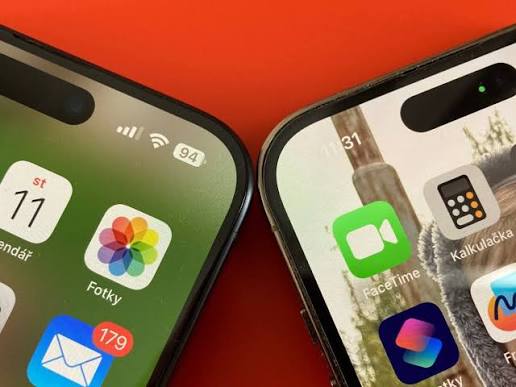
The iPhone 15 is designed to handle everyday tasks such as browsing the internet, taking photos, watching videos, and running apps. However, after months or years of use, you may notice that your iPhone 15 battery does not last as long as it used to. You might need to charge it several times a day, or the battery percentage may drop quickly even when you are not using your phone.
If you are experiencing these problems, understanding your iPhone 15 battery life and knowing how to identify battery issues can help you decide whether a few settings need adjusting or a battery replacement is necessary.
Why Does Your iPhone 15 Battery Drain So Quickly?
Poor battery life does not always mean that the battery is damaged. Several factors can affect how long your iPhone 15 or iPhone 15 Pro lasts between charges.
Battery aging: Lithium-ion batteries gradually lose their ability to hold a charge. After many charging cycles, an older battery may provide noticeably less usage time than it did when the phone was new.
High screen brightness: Keeping the display at maximum brightness for long periods can consume a significant amount of power, especially when watching videos or playing games.
Background applications: Some apps continue to refresh content, access your location, or send notifications when you are not actively using them.
Heavy usage: Gaming, video recording, navigation, video calls, and mobile hotspot use can drain your iPhone 15 battery faster than ordinary messaging or web browsing.
Temperature conditions: Very hot or cold environments can affect battery performance. Excessive heat may also contribute to long-term battery degradation.
How to Make My iPhone 15 Pro Battery Last Longer
If you are wondering how to make your iPhone 15 Pro battery last longer, start with a few practical adjustments before considering a replacement.
First, open Settings and check Battery to see which apps consume the most power. If an app uses an unusually large amount of energy in the background, adjust its background activity or location permissions.
Next, reduce screen brightness or enable Auto-Brightness. You can also use Low Power Mode when your battery is running low or when you know you will be away from a charger for several hours.
Keeping your iPhone updated can help resolve certain software-related battery problems. If your phone frequently searches for a weak mobile signal, connecting to reliable Wi-Fi when available may also reduce power consumption.
For everyday charging, use a compatible charging cable and adapter. Avoid leaving your phone in direct sunlight or in a hot car while charging.
These steps can improve your iPhone 15 battery life, but they cannot restore the original capacity of a battery that has significantly deteriorated.
What to Do When Your iPhone 15 Battery Will Not Charge
An iPhone 15 that refuses to charge can have a battery problem, but the charging cable, adapter, USB-C port, or software may also be responsible.
If your phone does not respond when connected to a charger, try the following checks:
- Test another compatible USB-C cable and power adapter.
- Try a different wall outlet to rule out a power supply issue.
- Check the charging port for visible debris. Do not insert metal objects or use liquids to clean it.
- Restart your iPhone and check whether it begins charging normally.
- If the phone is too hot or too cold, allow it to return to a suitable temperature before charging again.
If charging remains unreliable after these checks, or the phone repeatedly disconnects from the charger, professional diagnosis may be necessary.
Stop using the device and seek qualified service if the battery is swollen, the phone becomes unusually hot, or you notice a chemical smell. Do not attempt to puncture or repair a damaged lithium-ion battery yourself.
How to Tell Whether Your iPhone 15 Battery Is Damaged
Before buying a replacement battery, look for several signs that indicate the battery may be approaching the end of its useful life.
1. Battery percentage drops unusually fast
If your phone loses charge rapidly during normal activities, even after you have reduced power-intensive settings, battery degradation may be a factor.
2. The phone shuts down unexpectedly
An aging battery may struggle to supply enough power during demanding tasks. Unexpected shutdowns can indicate a battery issue, although software and other hardware faults can cause similar symptoms.
3. Battery health has declined
Open Settings, select Battery, and check Battery Health. On supported iPhone 15 models and software versions, you can review maximum capacity and other battery information. A lower maximum capacity means the battery stores less energy than when it was new.
4. Charging takes longer than usual
Slow charging does not automatically mean the battery is damaged. A weak adapter, faulty cable, unsuitable temperature, or charging settings may also explain the problem. Compare the charging behavior with a known-good compatible charger before drawing a conclusion.
5. Performance and battery life have both deteriorated
If the phone frequently needs charging and cannot maintain power during ordinary tasks, consider having the battery and charging system inspected.
No single symptom proves that a battery has failed. If several symptoms occur together, checking battery health and arranging a professional assessment can help identify the cause.
When Should You Replace an iPhone 15 Battery?
A replacement may be worth considering when your iPhone 15 battery no longer lasts through your usual daily activities, battery health has declined substantially, or unexpected shutdowns continue despite basic troubleshooting.
A new battery can restore much of the phone’s original usable battery capacity when the old battery is the cause of the problem. However, it will not fix charging-port damage, software issues, or other hardware faults.
Before purchasing an iPhone 15 battery replacement, confirm the exact phone model and battery compatibility. The iPhone 15, iPhone 15 Plus, iPhone 15 Pro, and iPhone 15 Pro Max use different battery assemblies, so their batteries should not be assumed to be interchangeable.
Choose a replacement that matches the specific model and follow an appropriate repair procedure. If you do not have experience with smartphone repairs, professional installation is the safer option.
Everyday Situations That Affect iPhone 15 Battery Life
Your daily routine can make a noticeable difference in how often you need to charge your phone.
Travel and navigation: Using GPS, mobile data, and a bright display for extended periods can drain the battery quickly. Download maps in advance when possible and reduce screen brightness when practical.
Gaming and video streaming: Demanding games and long video sessions increase power consumption. Taking breaks and closing unnecessary background activities can help reduce overall usage.
Work and video calls: Frequent calls, messaging, email synchronization, and mobile hotspot use can make it difficult for an aging battery to last an entire workday. Keeping a compatible charger available can help.
Outdoor photography: Recording high-resolution video or taking many photos can consume considerable power, particularly in hot weather. Avoid leaving the phone exposed to direct sunlight for extended periods.
Overnight charging: You do not need to completely drain your iPhone battery before recharging it. Use the available charging optimization features and keep the phone in a well-ventilated, temperature-appropriate location.
Frequently Asked Questions
How long should an iPhone 15 battery last?
Battery life depends on the model, battery condition, settings, and daily usage. A phone used mainly for messaging may last much longer between charges than one used for gaming, navigation, and video recording.
Why does my iPhone 15 battery drain overnight?
Background activity, weak cellular reception, notifications, and battery aging can all contribute. Check the Battery section in Settings to identify unusual activity and compare battery usage over several nights.
Can I improve iPhone 15 battery life without replacing the battery?
Yes. Reducing screen brightness, limiting unnecessary background activity, using Low Power Mode, and avoiding extreme temperatures may improve daily battery life. These steps cannot reverse physical battery aging.
Is it safe to keep using an iPhone 15 with poor battery health?
Reduced battery health alone does not necessarily make a phone unsafe. However, stop using it and seek service if you notice swelling, unusual heat, or other signs of physical battery damage.
Should I replace my iPhone 15 battery if it will not charge?
Not immediately. Check the cable, adapter, outlet, charging port, and software first. If the problem continues, have the charging system and battery tested to determine whether replacement is actually necessary.
Good battery habits can help your iPhone 15 maintain reliable performance throughout the day, but every rechargeable battery gradually loses capacity with use. If your iPhone 15 battery drains quickly, refuses to charge, or shuts down unexpectedly, start by checking battery health and ruling out common charging or software problems.
When battery degradation is confirmed, choosing a compatible replacement battery can be a practical way to restore everyday usability and continue using your iPhone 15 or iPhone 15 Pro.