When a Dell desktop or compatible computer starts showing power-related problems, it can be difficult to know whether the issue comes from the battery, the charger, or the power connection. A battery that runs out quickly or refuses to charge does not always mean that the battery itself is damaged.
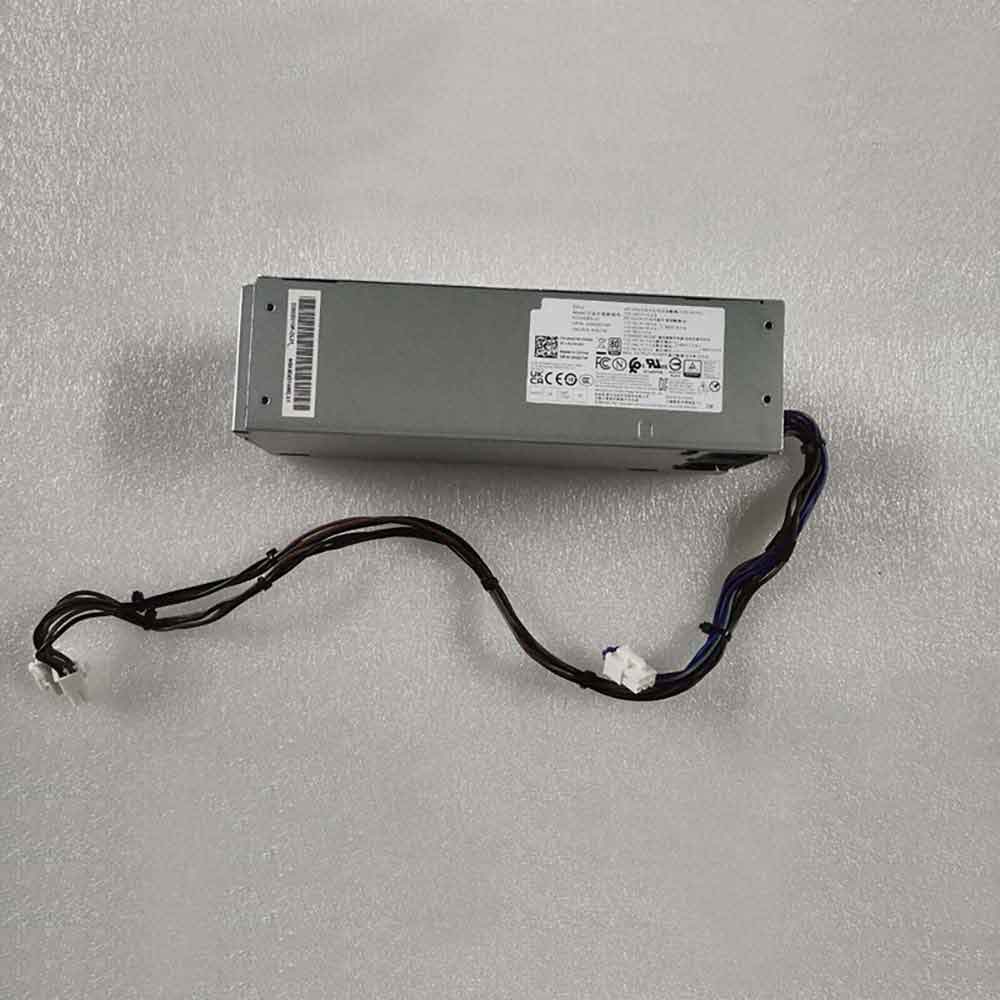
For systems compatible with the 200W H200EBS-01 charger, checking the power supply is an important part of troubleshooting. A suitable H200EBS-01 charger replacement can help provide stable power and make it easier to determine whether the original charger is causing the problem.
Battery Runtime Becomes Short
If your Dell computer or related device suddenly loses power much faster than before, the battery may be reaching the end of its service life. You may notice that the device shuts down shortly after being disconnected from external power.
However, short battery runtime can also be related to charging problems. If the charger does not provide stable power, the battery may not receive enough energy during charging.
Before replacing the battery, check the charger, cable, and power connection. If you are using an old or damaged adapter, replacing it with a compatible 200W H200EBS-01 charger can be a practical troubleshooting step.
Battery Will Not Charge
A common problem is seeing a message that the battery is connected but not charging. In this situation, several things should be checked.
First, make sure the charger is firmly connected to the device and the wall outlet. Check the cable and connector for visible damage. If possible, try another compatible power outlet.
You should also check whether the charger is supplying the correct power. For systems that require the H200EBS-01 specification, a 200W charger replacement can help restore a stable power connection when the original adapter has become unreliable.
If the device still cannot charge after using a known-compatible charger, the problem may be related to the battery, charging circuit, or another internal component.
How to Tell If the Battery Is Damaged
A battery may need replacement when several warning signs appear at the same time.
Common signs include:
- Battery runtime is much shorter than before.
- The battery percentage drops unusually quickly.
- The device shuts down even when the battery indicator still shows charge.
- The battery cannot reach a full charge.
- The device only works reliably when connected to external power.
- The battery becomes unusually hot or shows physical swelling.
If the battery shows physical swelling or other visible damage, stop using the device and have it inspected by a qualified technician.
It is also useful to test the power adapter before replacing the battery. If the computer works normally with a compatible charger but charging problems continue with the original adapter, the charger may be the source of the problem.
Why the H200EBS-01 Charger Matters
The charger is responsible for supplying the required power to the system. Using an unsuitable adapter may result in unstable operation, slow charging, or failure to charge.
The 200W H200EBS-01 charger replacement is designed for compatible Dell systems and can be considered when the original charger is damaged, lost, or no longer providing reliable power.
Before ordering a replacement, always compare the model number, power rating, connector, and compatibility information with your existing charger.
Compatible Dell Models
The H200EBS-01 charger is commonly associated with the following Dell systems listed for this product:
- Dell 3060
- Dell 5060
- Dell 3470
- Dell 3080 SFF
Because configurations can vary between systems, check the original adapter label and your device specifications before purchasing a replacement.
Everyday Usage Scenarios
A reliable charger is particularly important when a Dell computer is used for long periods of work, office applications, data processing, or other daily tasks.
For example, if a computer suddenly loses power during work because the charger connection is unstable, unsaved files may be lost and productivity can be interrupted. A compatible Dell 200W charger can provide a more dependable power source for everyday use.
It can also be useful as a replacement when the original H200EBS-01 charger has been misplaced or when the cable or connector has become worn after extended use.
Simple Charging Troubleshooting Steps
If your Dell computer is experiencing charging or power problems, try these steps:
- Check that the charger is securely connected.
- Try a different power outlet.
- Inspect the charger cable and connector.
- Check the adapter model and power rating.
- Test with a compatible H200EBS-01 charger replacement if available.
- Check the battery condition.
- If the problem continues, have the battery or charging circuit inspected.
This process can help determine whether the problem is caused by the charger or the battery instead of immediately replacing both components.
Short battery runtime and charging problems can have several causes. Before assuming that the battery is damaged, it is worth checking the charger and power connection first.
For compatible Dell 3060, 5060, 3470, and 3080 SFF systems, the 200W H200EBS-01 charger replacement can be a useful option when the original adapter is damaged or unreliable. Checking the model number, power rating, connector, and device compatibility before replacement can help ensure a proper match.