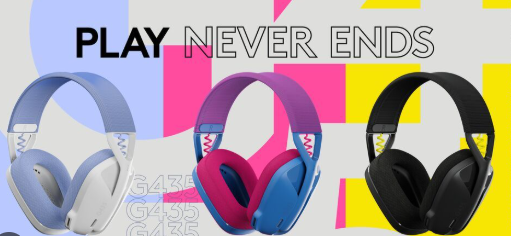
The 533-000201 Battery, also known as the Logitech G435 Lightspeed Battery, is an important internal component for keeping the Logitech G435 wireless gaming headset running smoothly. After long-term use, many users notice charging problems, sudden shutdowns, or reduced wireless performance. In many cases, replacing the original 260mAh Logitech Battery can restore normal headset functionality.
Why the Logitech G435 Stops Working Properly
The Logitech G435 Lightspeed is designed for lightweight wireless gaming, but the internal battery can gradually wear out over time. Frequent charging cycles, extended gaming sessions, and daily use may eventually affect battery performance.
Common signs include:
- The headset powers off unexpectedly
- Charging becomes inconsistent
- Battery percentage drops rapidly
- The headset only works while connected to a charger
- Wireless connection becomes unstable during use
If these symptoms appear repeatedly, the internal battery may no longer hold a stable charge.
About the 533-000201 Battery
The 533-000201 Battery is a compact rechargeable lithium battery specially designed for the Logitech G435 Lightspeed headset. Its lightweight structure matches the headset’s portable gaming design.
Typical specifications include:
- Battery Model: 533-000201
- Capacity: 260mAh
- Battery Type: Li-Polymer Rechargeable Battery
- Compatible Device: Logitech G435 Lightspeed Wireless Gaming Headset
Using a compatible replacement battery helps restore stable operation and charging performance.
Compatible Device
The Logitech G435 Lightspeed Battery is mainly compatible with:
- Logitech G435 LIGHTSPEED Wireless Gaming Headset
- Logitech G435 Bluetooth Gaming Headset
Before purchasing, users should verify the battery model number and connector type inside the headset.
Common Reasons for Battery Replacement
Many users replace the 260mAh Logitech Battery after experiencing one or more of the following situations:
1. Headset No Longer Holds Charge
The headset may fully charge but lose power quickly during gaming or voice chat sessions.
2. Charging Indicator Behaves Abnormally
Some devices show blinking lights or fail to indicate charging status correctly.
3. Device Cannot Power On
Even after hours of charging, the headset may remain unresponsive.
4. Random Shutdowns During Gameplay
Power interruptions during gaming often point to unstable battery output.
Choosing a Compatible Replacement Battery
When selecting a replacement battery for the Logitech G435, users should pay attention to several important details:
- Correct battery model number: 533-000201
- Matching voltage and connector
- Proper 260mAh capacity
- Safe lithium-polymer cell design
- Compatibility with Logitech G435 headset structure
A properly matched battery helps avoid charging errors or installation issues.
Installation Notes
Replacing the internal battery of the Logitech G435 usually requires careful disassembly of the headset shell. During installation:
- Power off the headset completely
- Disconnect the old battery carefully
- Avoid damaging internal cables
- Confirm connector orientation before installation
Users unfamiliar with electronic repairs may consider professional installation assistance.
The 533-000201 Battery is an essential replacement component for restoring the performance of the Logitech G435 wireless gaming headset. If your Logitech G435 Lightspeed Battery no longer charges properly or causes unexpected shutdowns, replacing the internal 260mAh Logitech Battery may help bring the headset back to normal operation.
Choosing a compatible replacement battery ensures better device stability, smoother gaming sessions, and more reliable wireless performance.